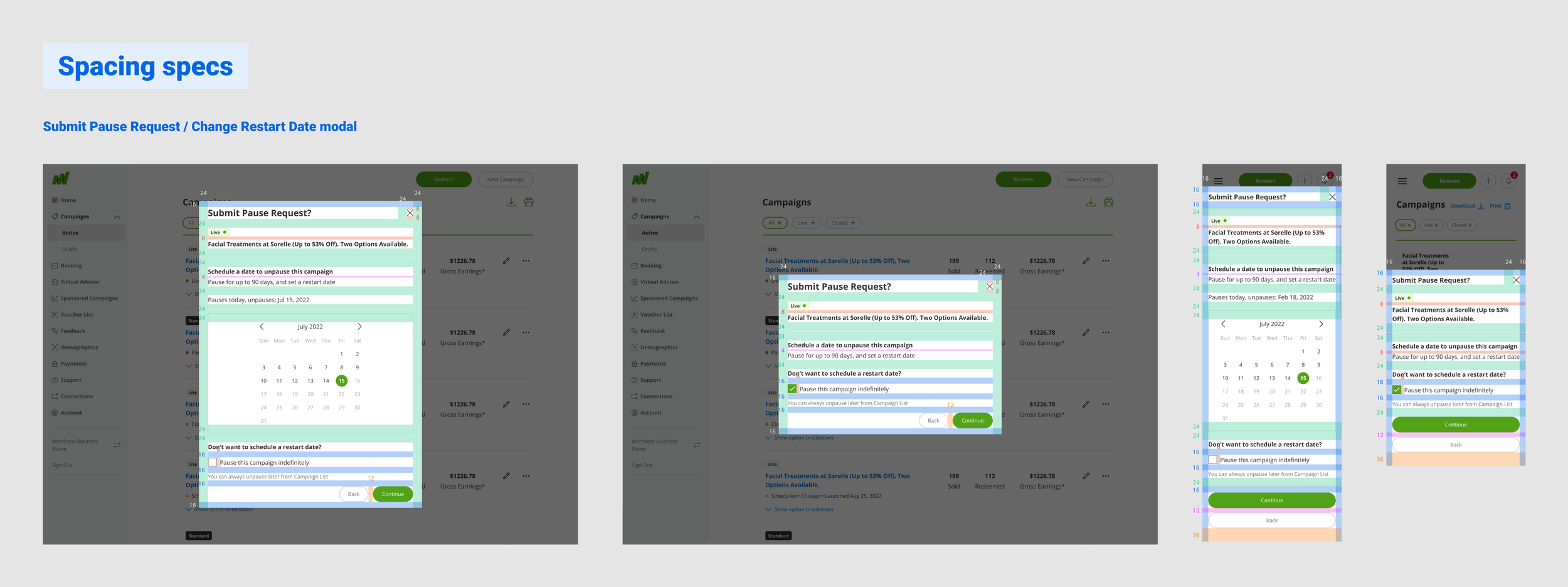
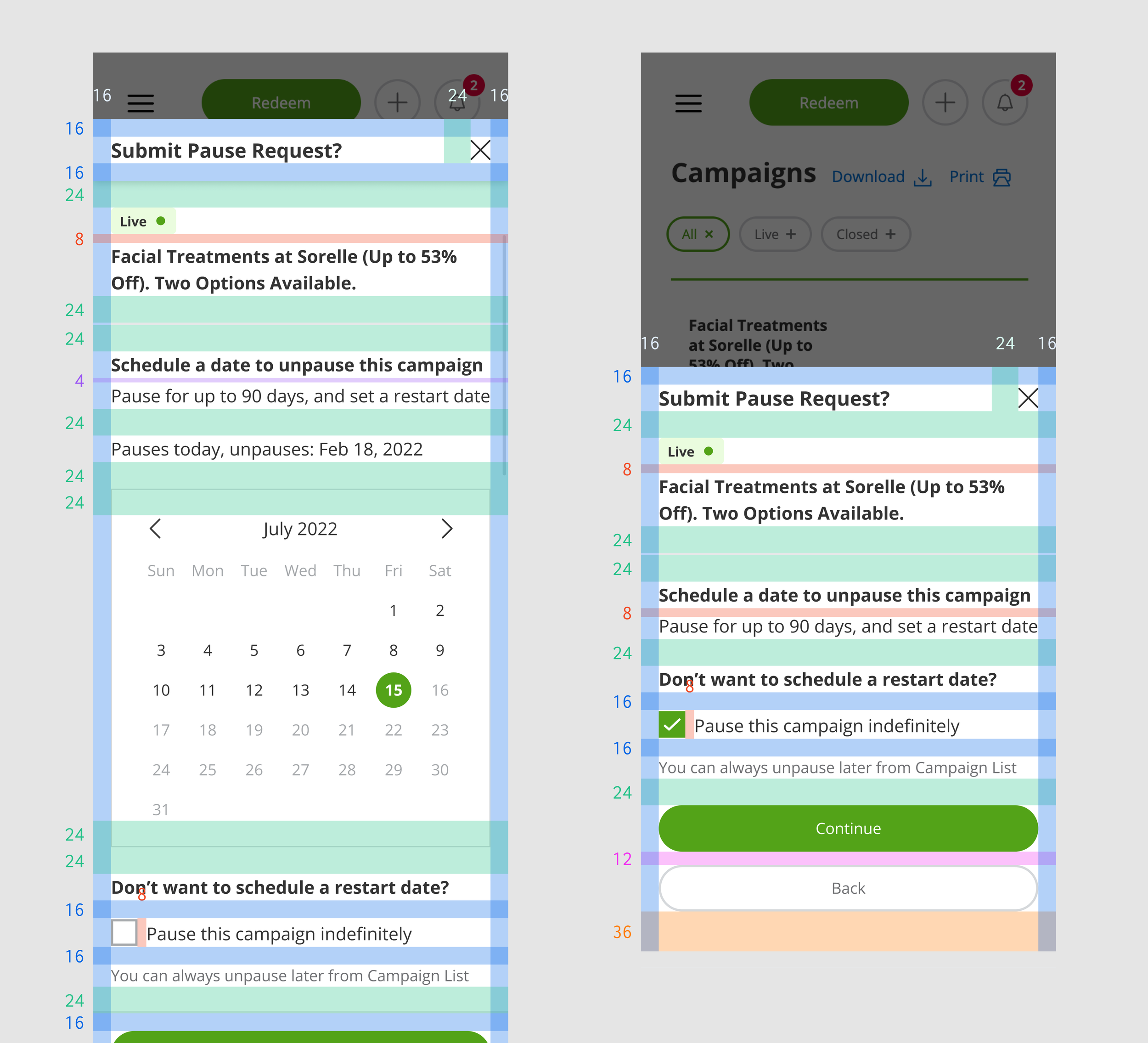
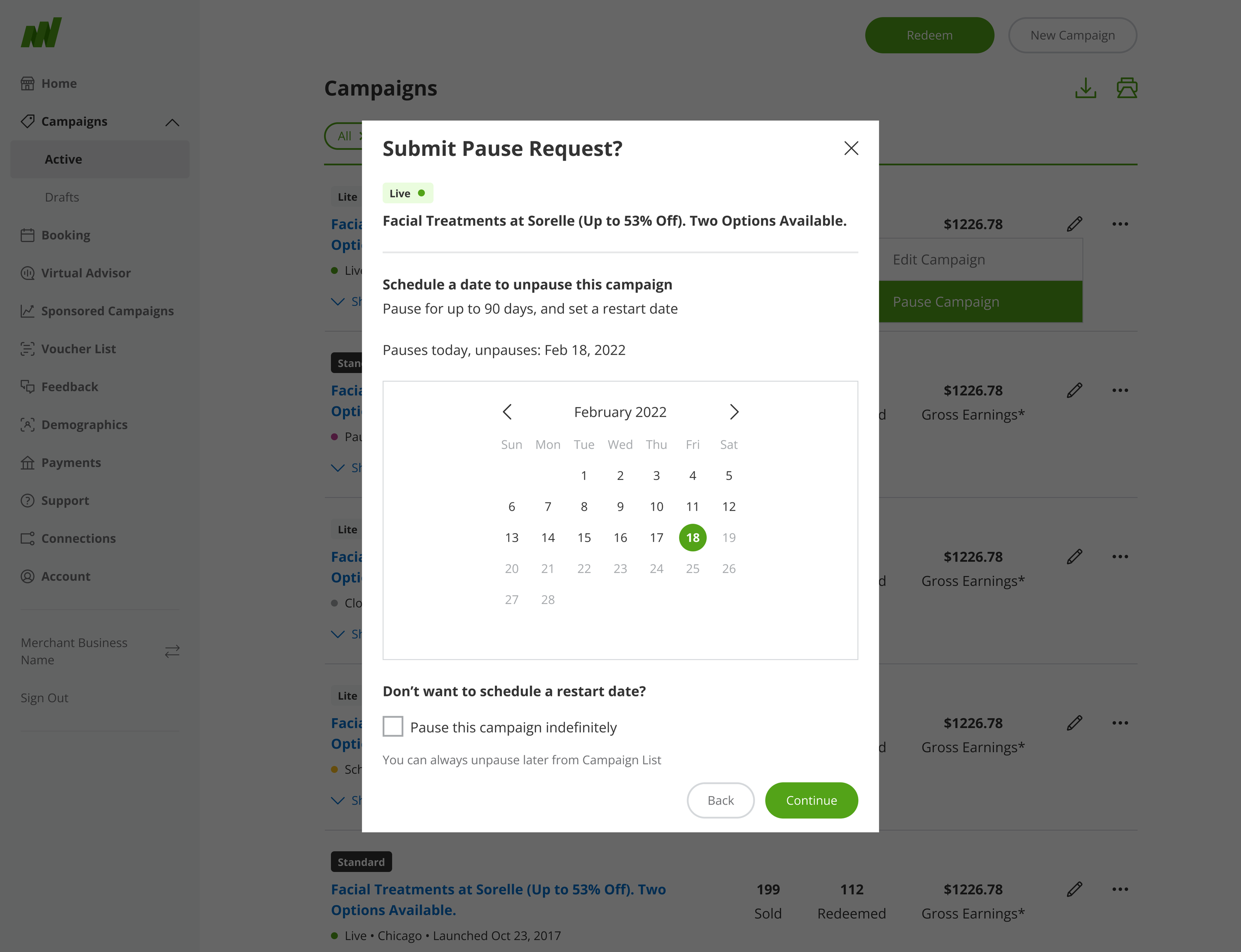
Functionality for scheduling deal availability on Groupon marketplace
Context
Business owners with deals on Groupon can make changes to their offering with a self-service tool in Merchant Center called Campaign Editor. One feature of Campaign Editor is the ability to pause a deal, making it unavailable for purchase on Groupon’s marketplace.
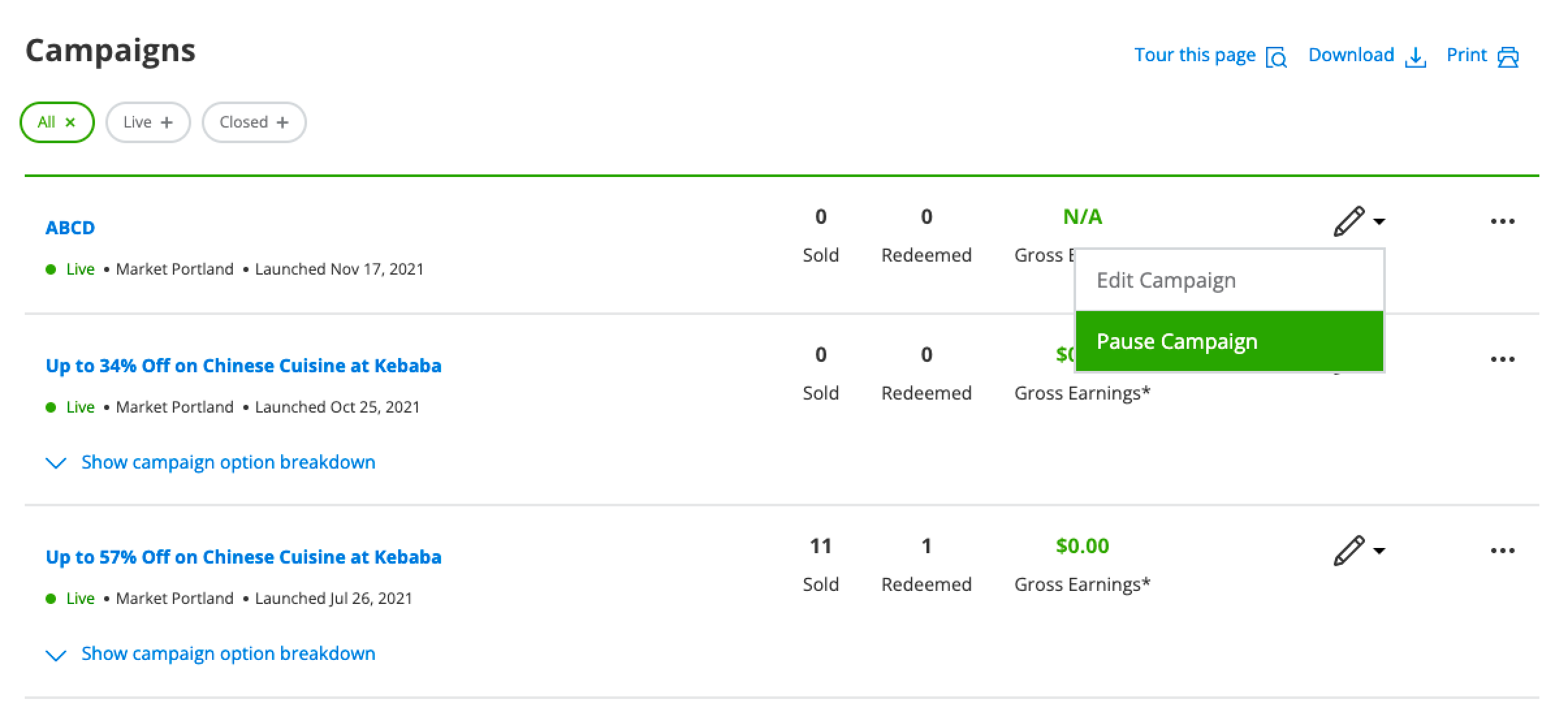
A deal can be paused from its edit menu on the Campaigns list.
Problem
Merchants who want to pause a deal for a brief period of time don’t have a way of doing so, leading to deals remaining paused indefinitely. Fewer deals on the platform leads to a poor customer experience.
Hypothesis
Allowing merchants to unpause their deals on a specified date will lead to more live deals on the platform and thus, more choices for customers.
Audit
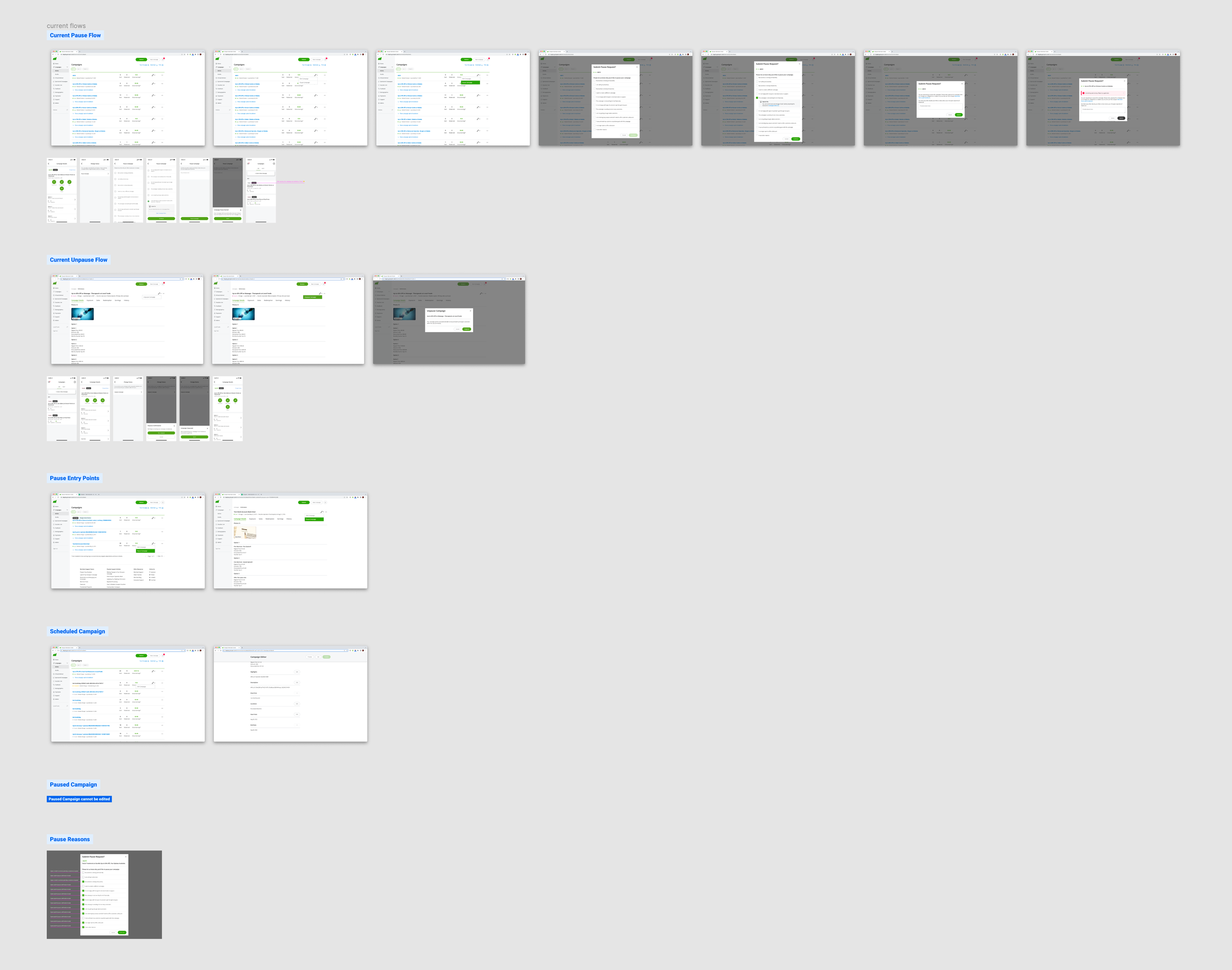
Some of the screens from my audit.
There were several areas included in my audit of Merchant Center:
Current pause flow
Current unpause flow
Pause entry points
Campaign statuses
Pause reasons
Calendar date picker implementations in Merchant Center
User flow
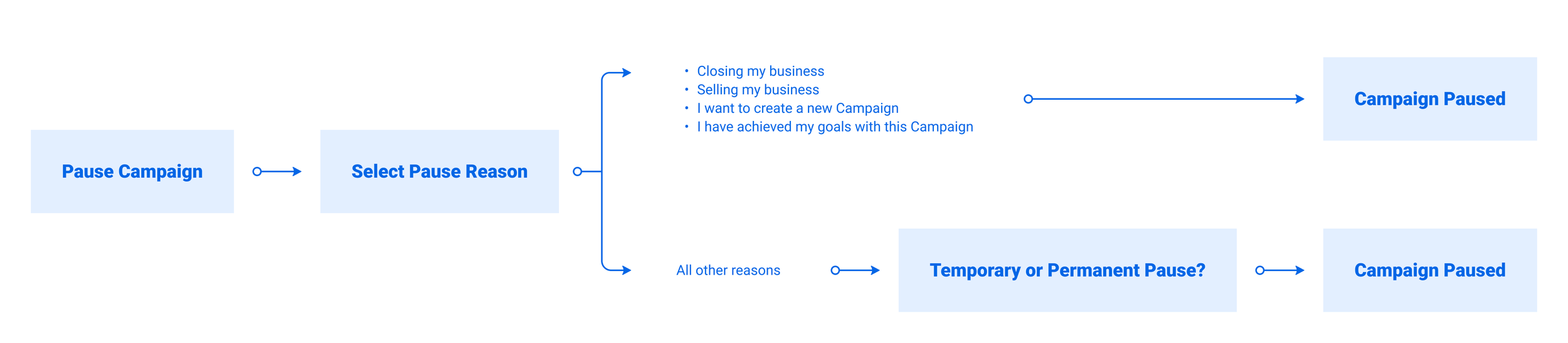
After completing my audit and a brainstorming session with my product partner, our user flow began to take shape.
Identifying use cases
I held a brainstorming session with my product and engineering partners to ensure all use cases were accounted for. Together, we identified 5 use cases:
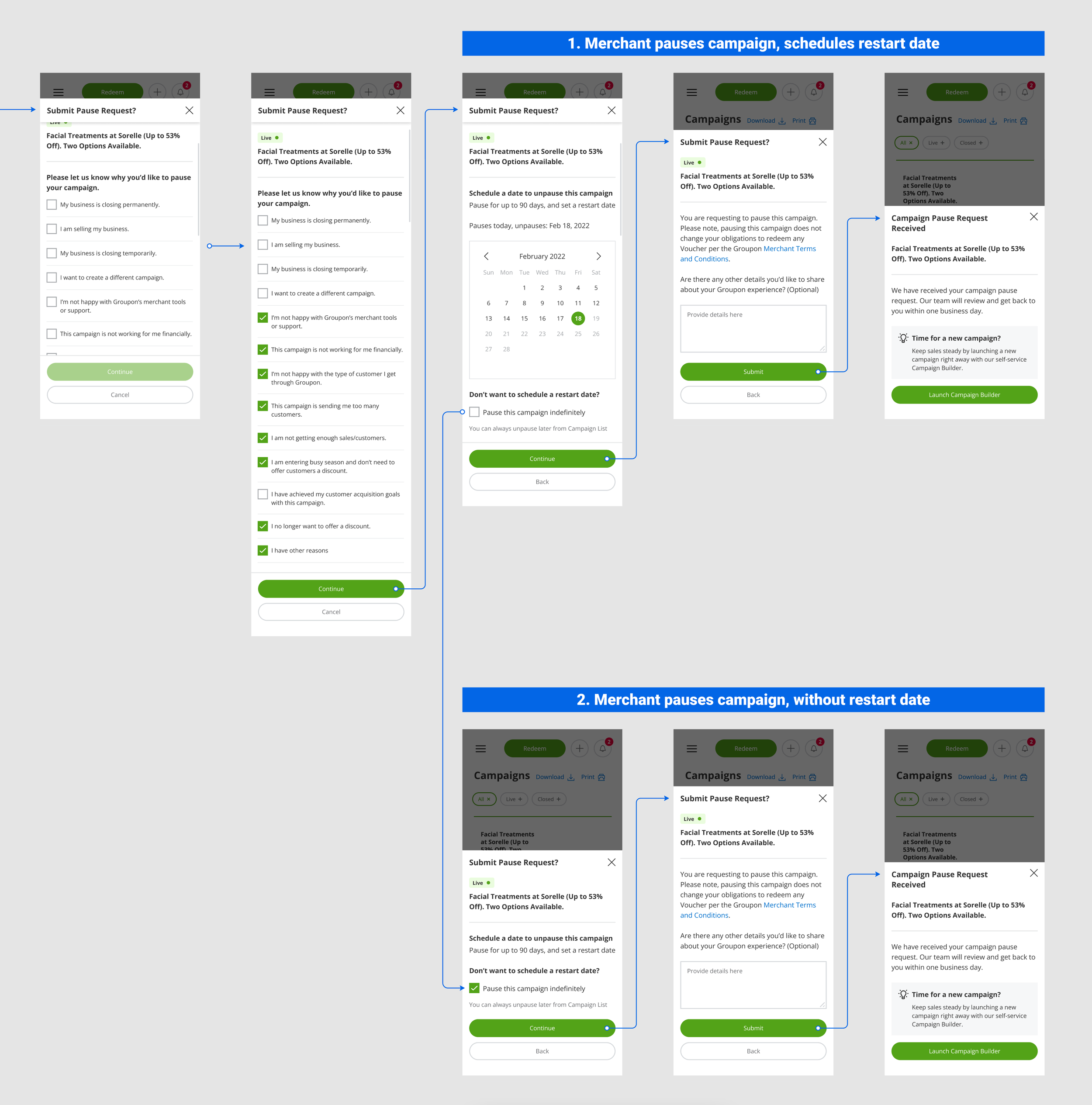
Merchant pauses a campaign, and schedules a restart date.
Merchant pauses a campaign, without a restart date.
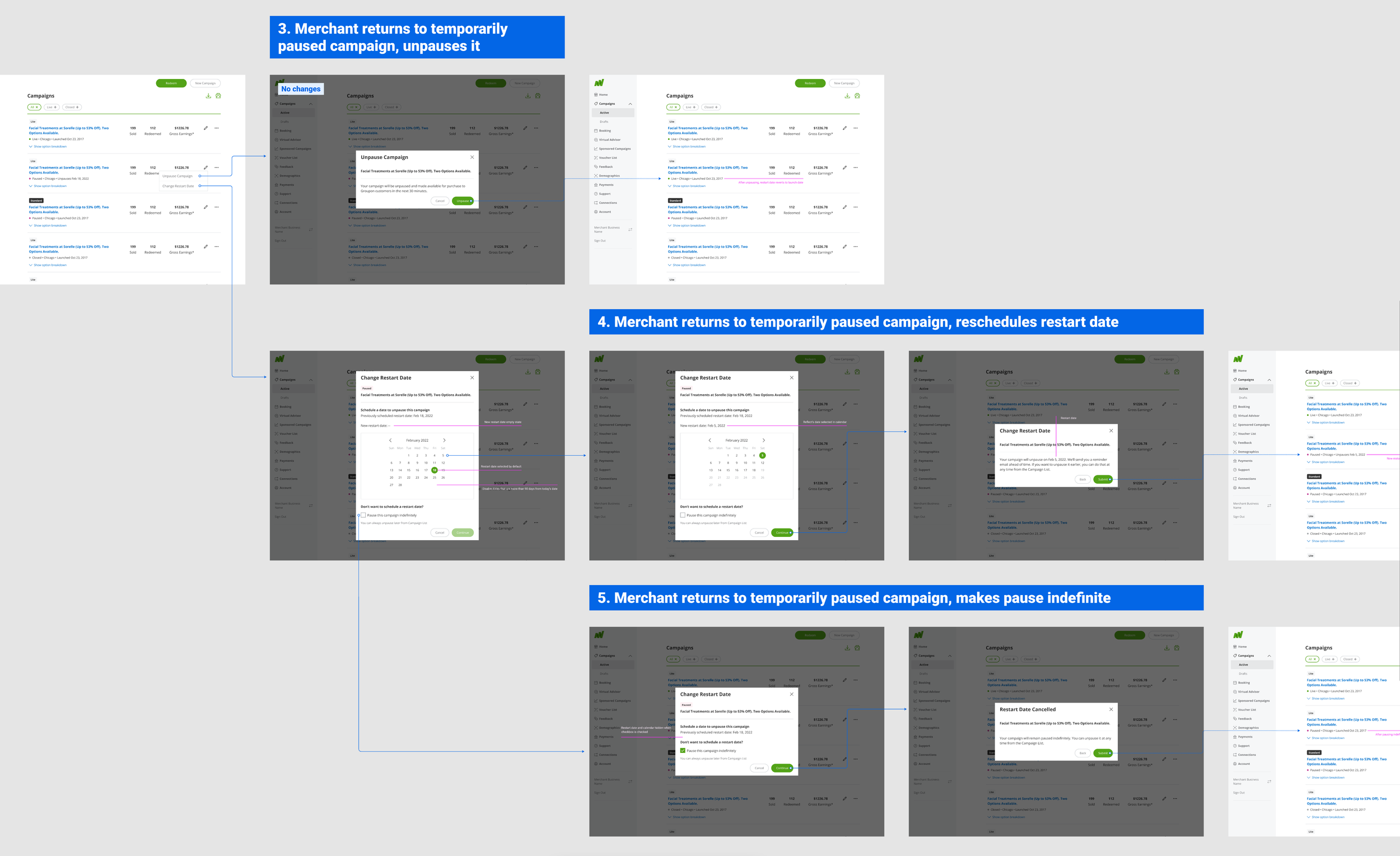
Merchant returns to a temporarily paused campaign, and unpauses it.
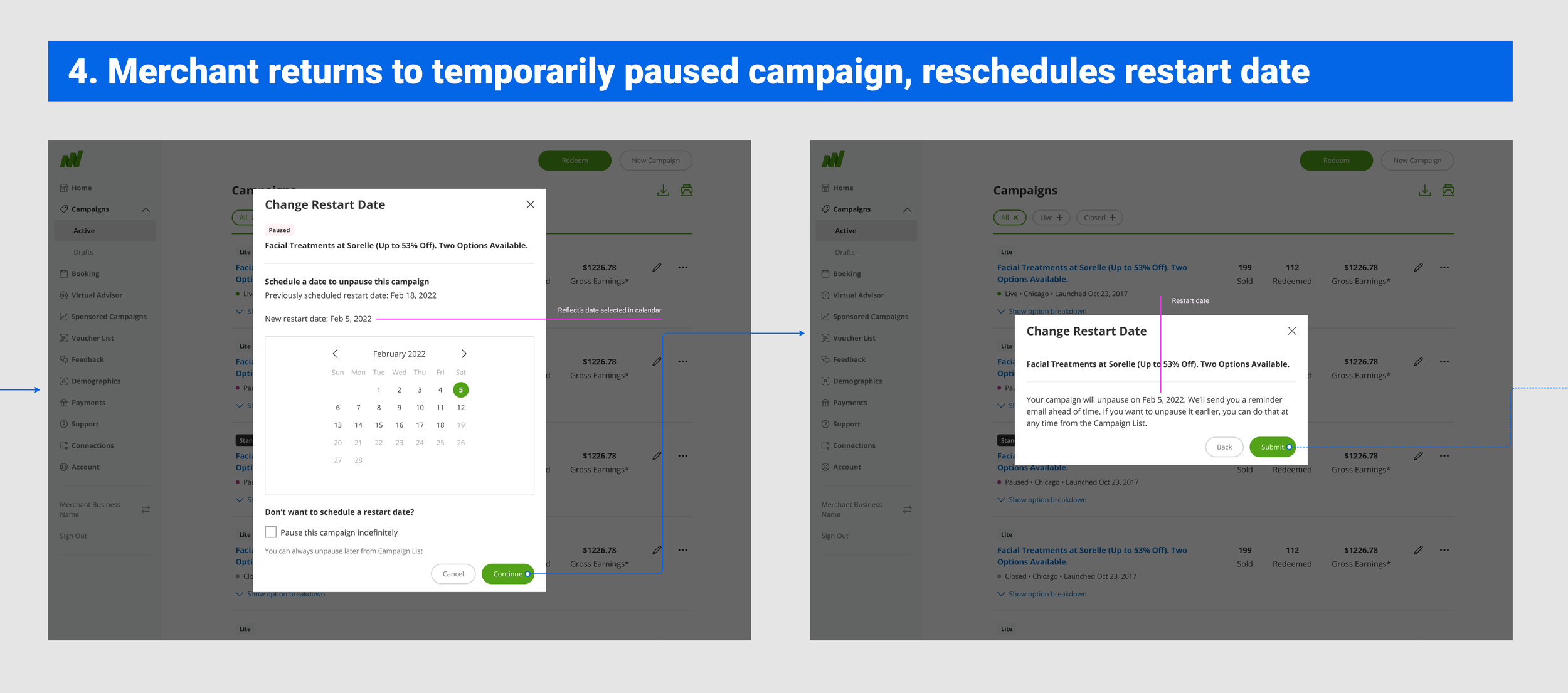
Merchant returns to a temporarily paused campaign, and reschedules the restart date.
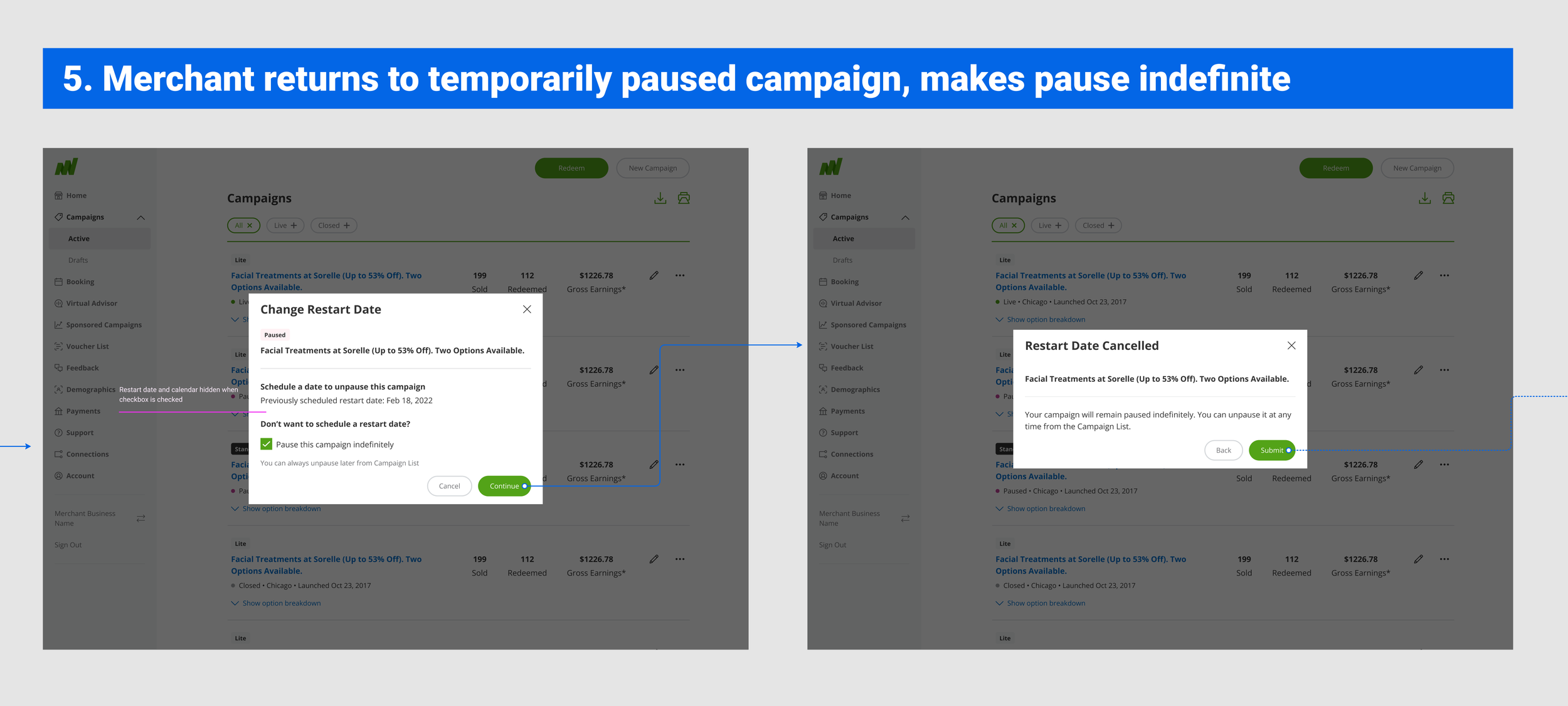
Merchant returns to a temporarily paused campaign, and makes the pause indefinite.
Iteration
Initially, I explored a revised pause flow that would prompt the merchant to choose between a temporary and indefinite pause. However this introduced an added step, and required more cognitive load for the user to understand the difference between pause options.
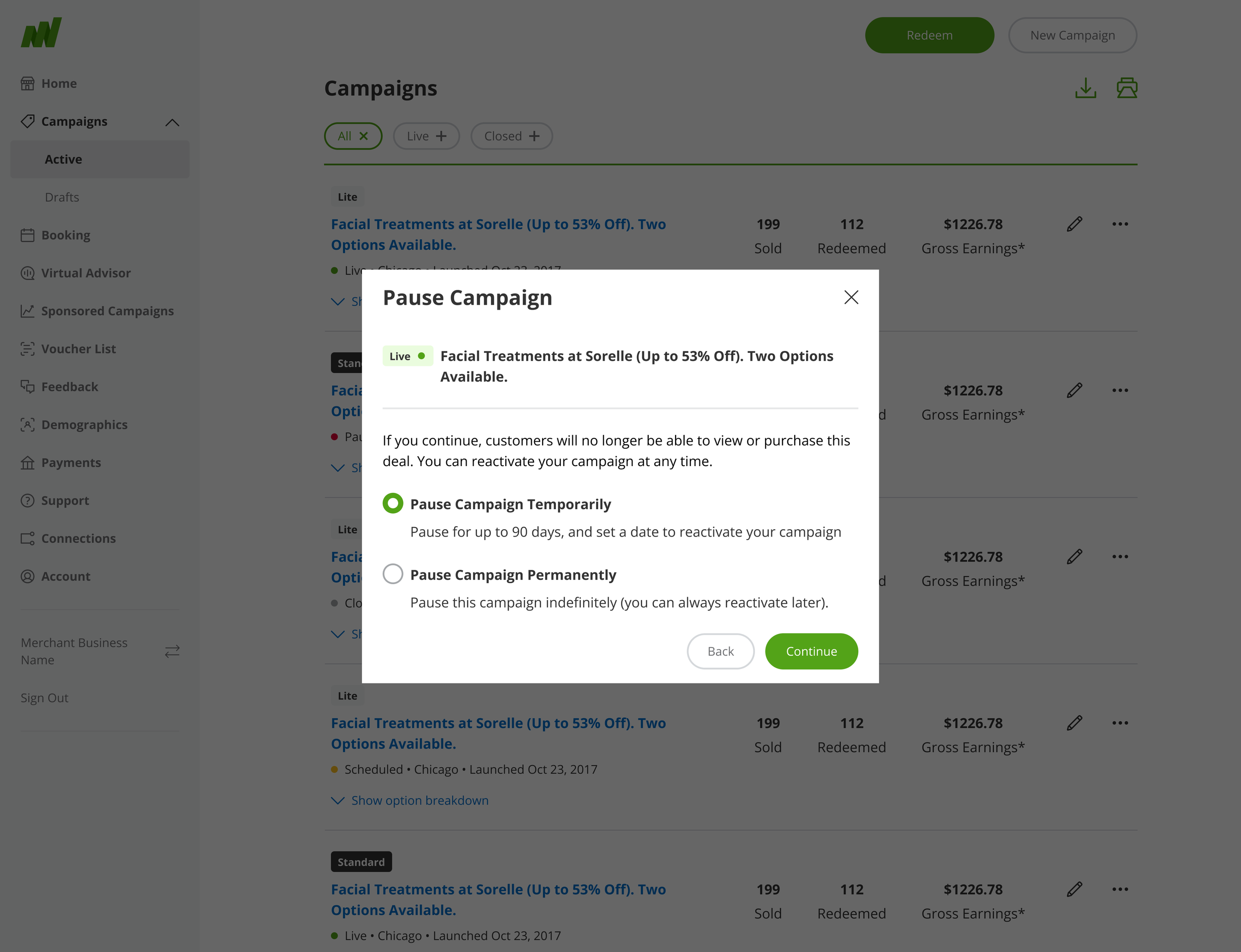
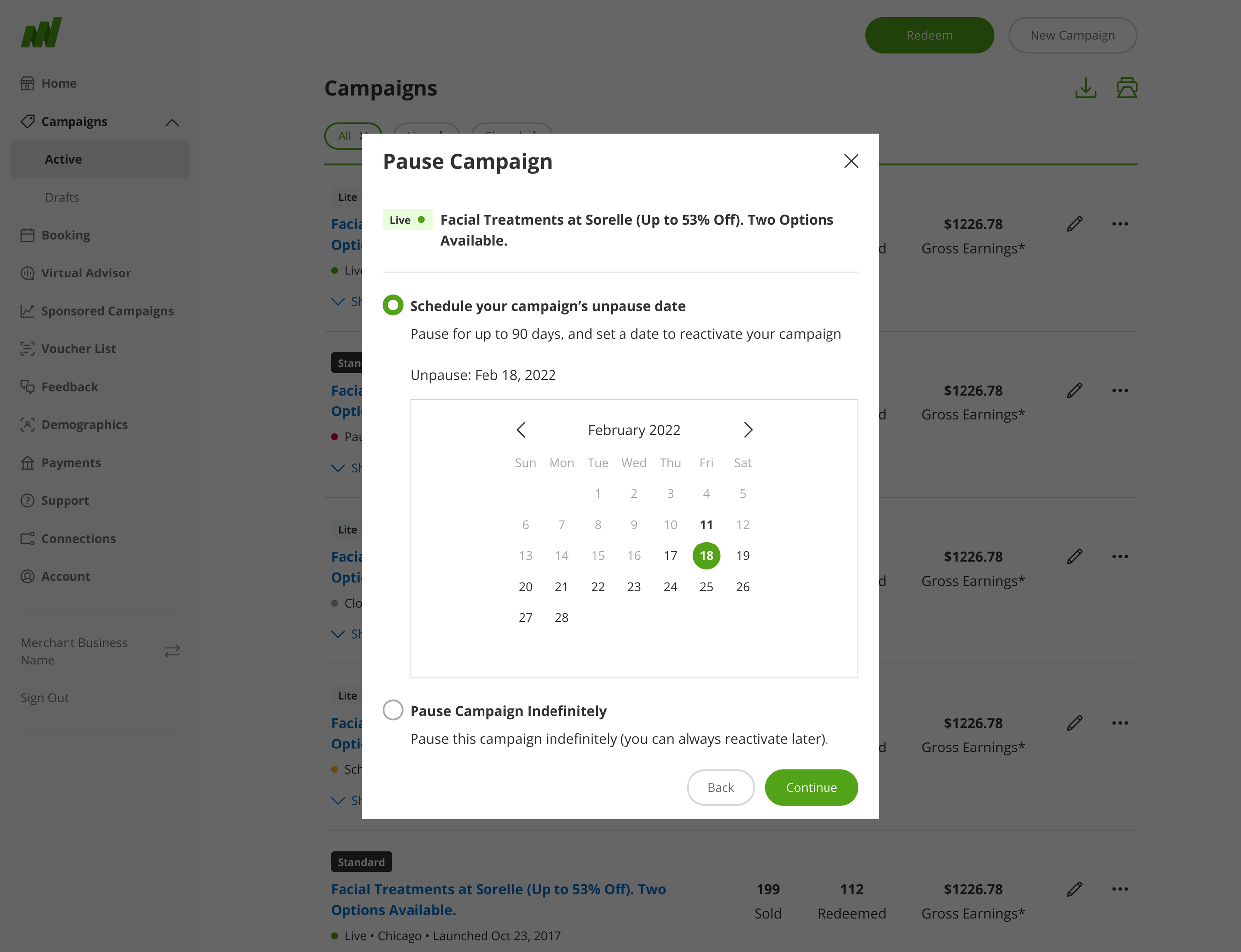
To streamline the process, I explored displaying the date picker with the radio selections. But this approach put too much distance between the radio selections, especially on mobile viewports.
Next I looked at making a temporary pause the default, with the calendar displayed for selecting a restart date. A user could still select an indefinite pause with the text link below the calendar. While this approach would likely keep more deals on the platform, it felt like the option to pause permanently was being minimized. This was not the level of trust I wanted to instill in our merchants.
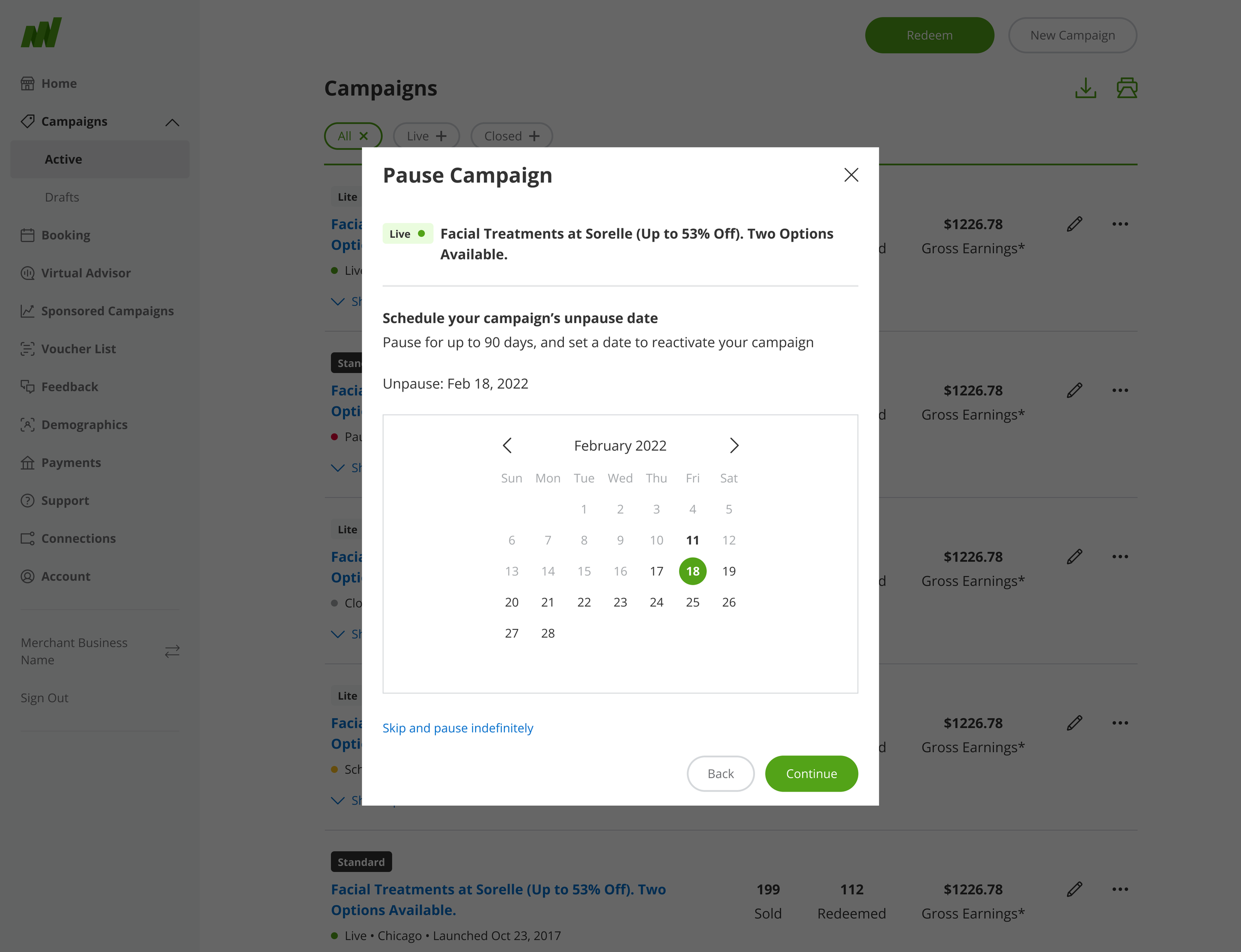
Ultimately, I was able to leverage a pattern from elsewhere in Campaign Editor, where merchants have the opportunity to set an end date for their campaign. If a merchant checks the box, the calendar is no longer displayed and the pause is treated as permanent.
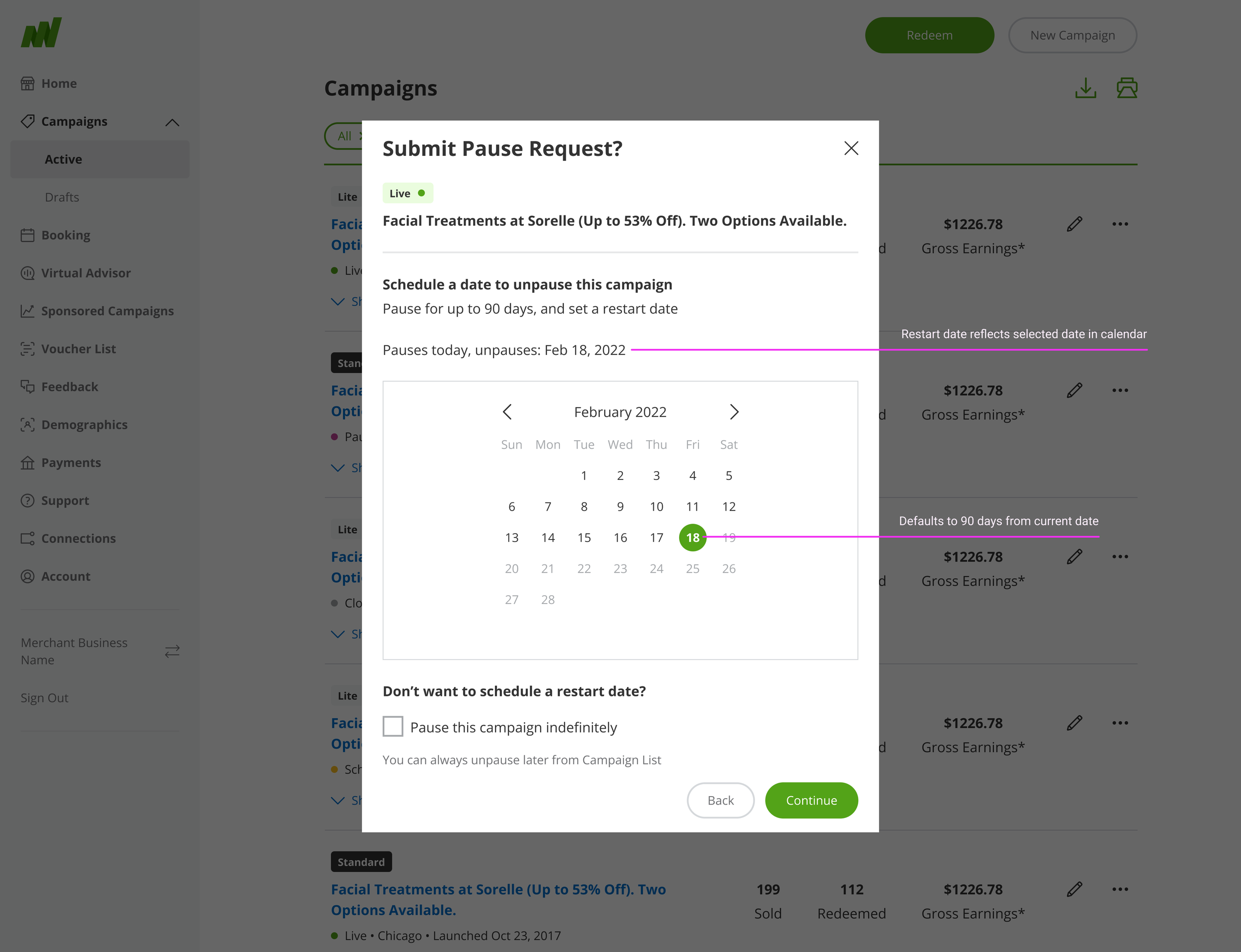
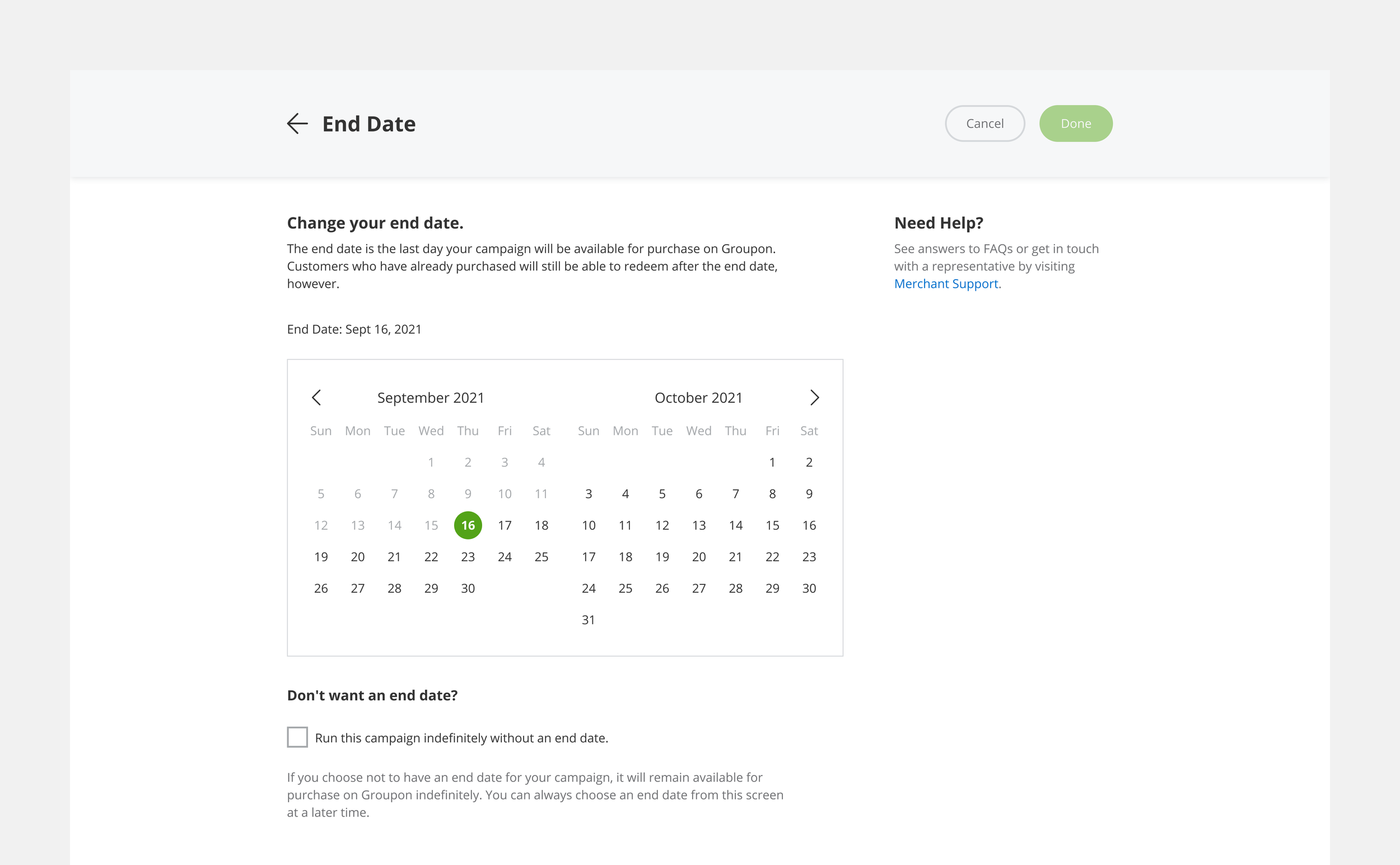
End date selection in Campaign Editor, used as a reference.
Clarifying the content
After some iteration, it became clear that I needed to standardize the language used for pausing and unpausing deals. A merchant can “pause” a deal indefinitely, or with a “restart date” when the deal is scheduled to “unpause”. This nomenclature fit neatly within the established merchant experience.
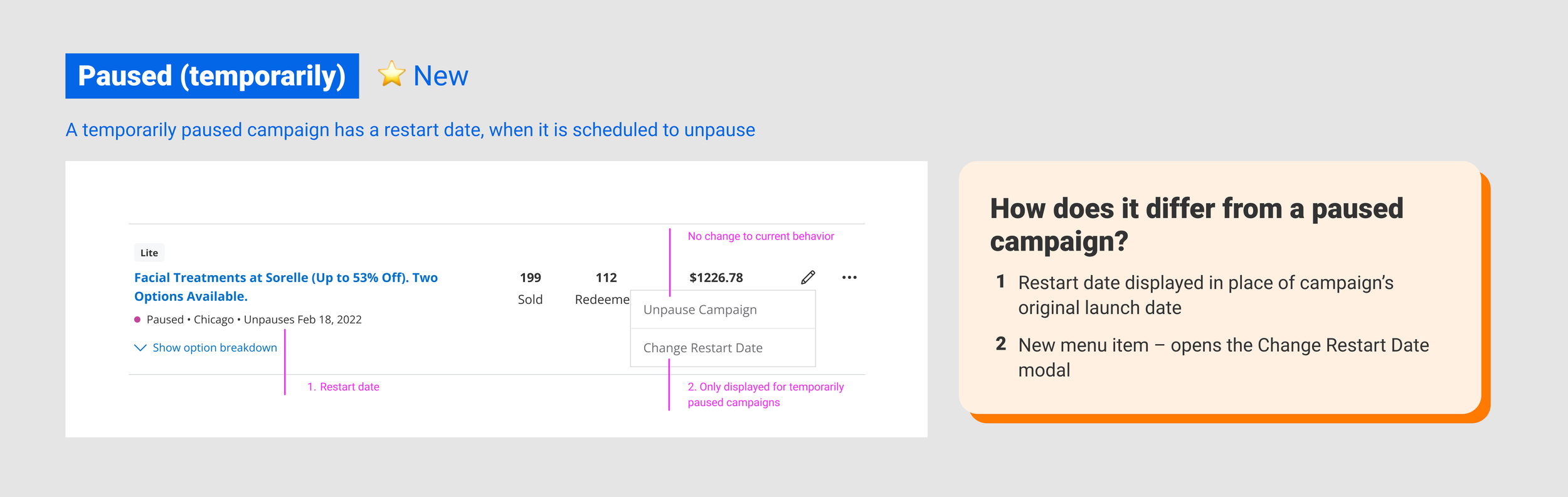
Finally, I needed to solve for how a paused campaign with a scheduled restart date would appear on the Campaigns List in Merchant Center. I examined each possible campaign status and eventually determined, with my engineering and product partners, that introducing a new campaign status would add too much complexity and jeopardize the delivery timeline. Instead, I leveraged the launch date attribute to list the scheduled restart date in its place.
Delivery
My final design deliverables to engineering included a full set of detailed flows and spacing guides for each of the use cases we identified, across desktop and mobile viewports.