
Amazon CodeCatalyst source repository features
Context
Amazon CodeCatalyst is an end–to–end DevOps tool that gives software development teams everything they need to plan, code, build, test, and deploy applications on AWS in a seamless experience. As a UX designer in the AWS Dev Tools organization, I designed new features for CodeCatalyst, especially those that involved source repository management, code quality reporting, and generative AI.
Problem
While Amazon CodeCatalyst had an enticing value prop, tying together multiple AWS services in one product, it lacked some of the features that other, more established products in the DevOps space offered. One of these was the ability to secure branches from unwanted changes, a standard offering with many of the competitors in the market. Another was the ability to require a specific number of approvals, including from designated reviewers, before a change could be merged to a branch. This project was a parity play, aimed at providing customers with the same safeguards that they could expect from other DevOps products. We frequently heard from customers, especially at the enterprise level, that these kinds of safeguards were essential for them to consider adopting CodeCatalyst as their DevOps platform.
Iteration
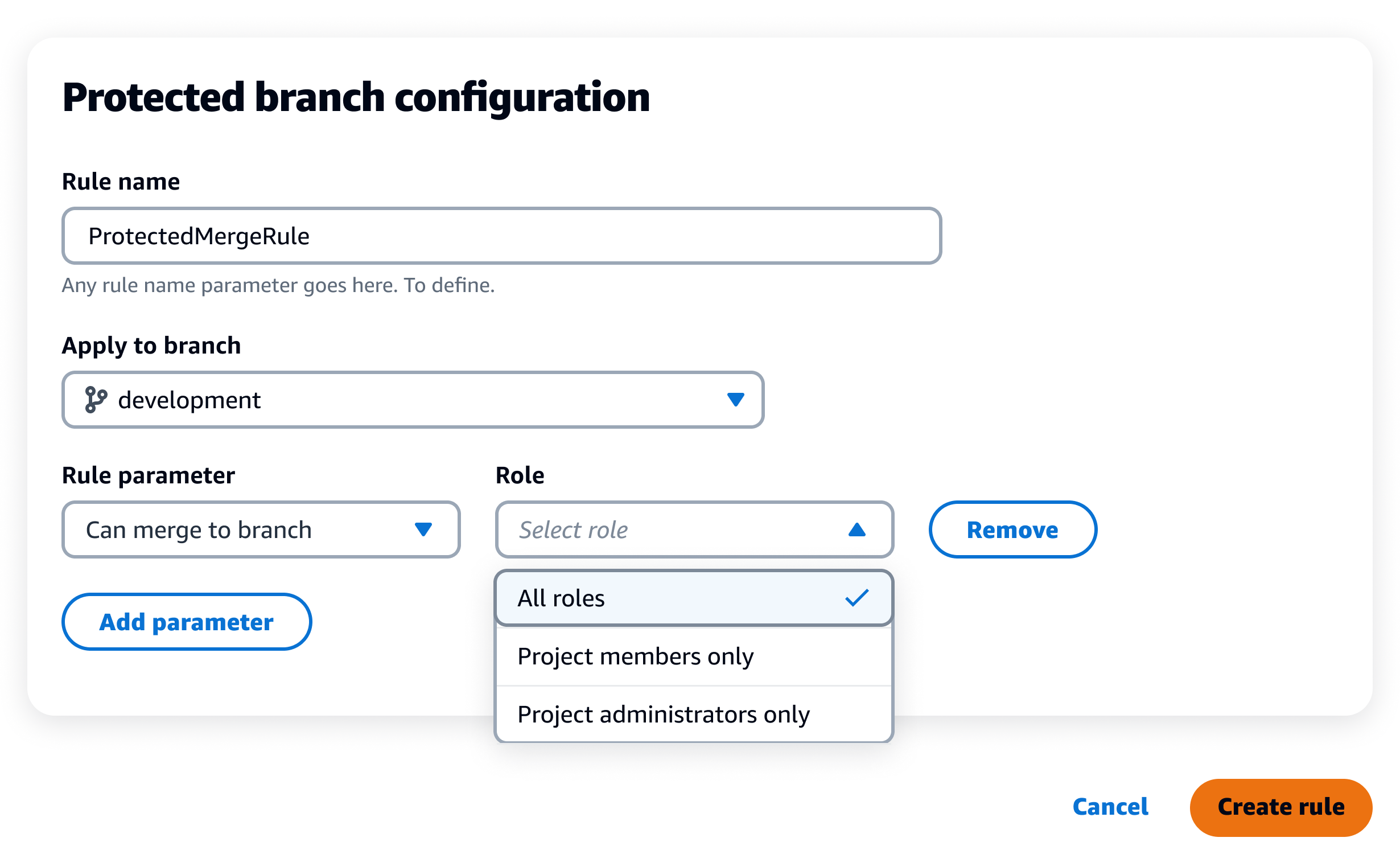
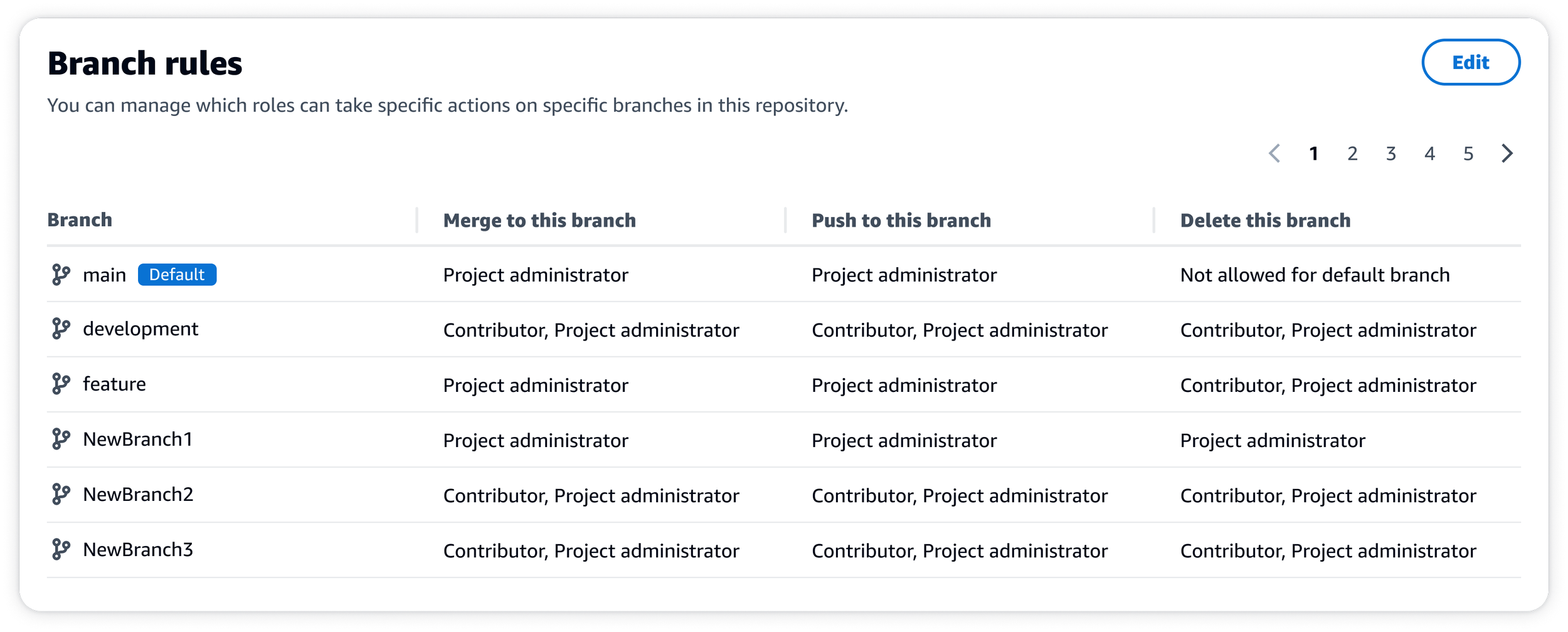
When I picked up this project from a colleague, the designs were pretty far along and nearly ready for delivery. The initial designs for this feature required a customer, likely a project–administrator, to navigate to the new protected branch settings page via the repository settings. From there, users could add rules to the branch of their choice, setting the parameter and role in the process. By default, no rules were applied.
After digging into the UX with my product manager and reviewing other DevOps products in the market, we discovered some opportunities to enhance the experience prior to launch. First, I revised the UX to assign a default branch rule to each branch in the customer’s repository, essentially inverting the mental model from the initial designs.
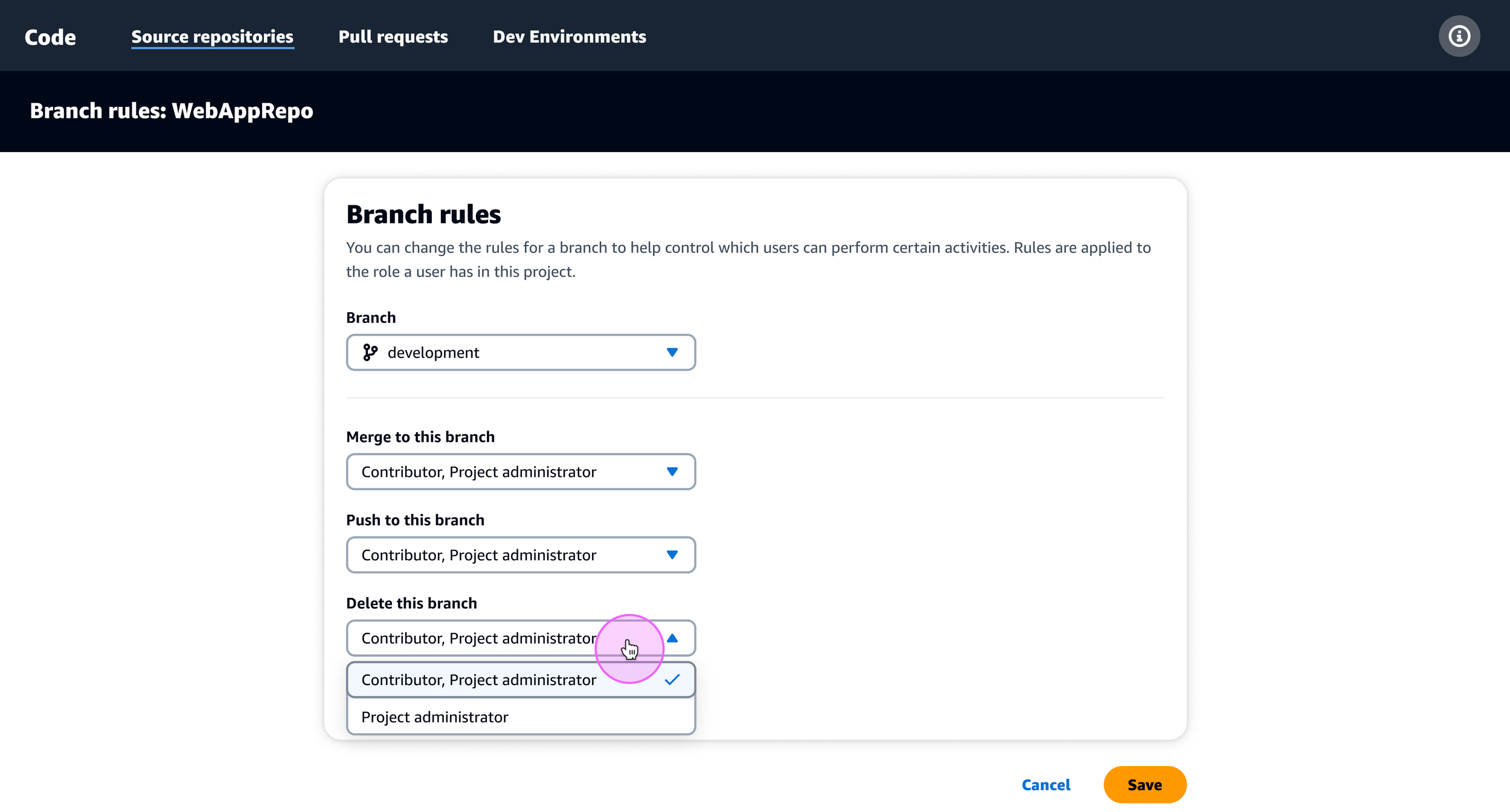
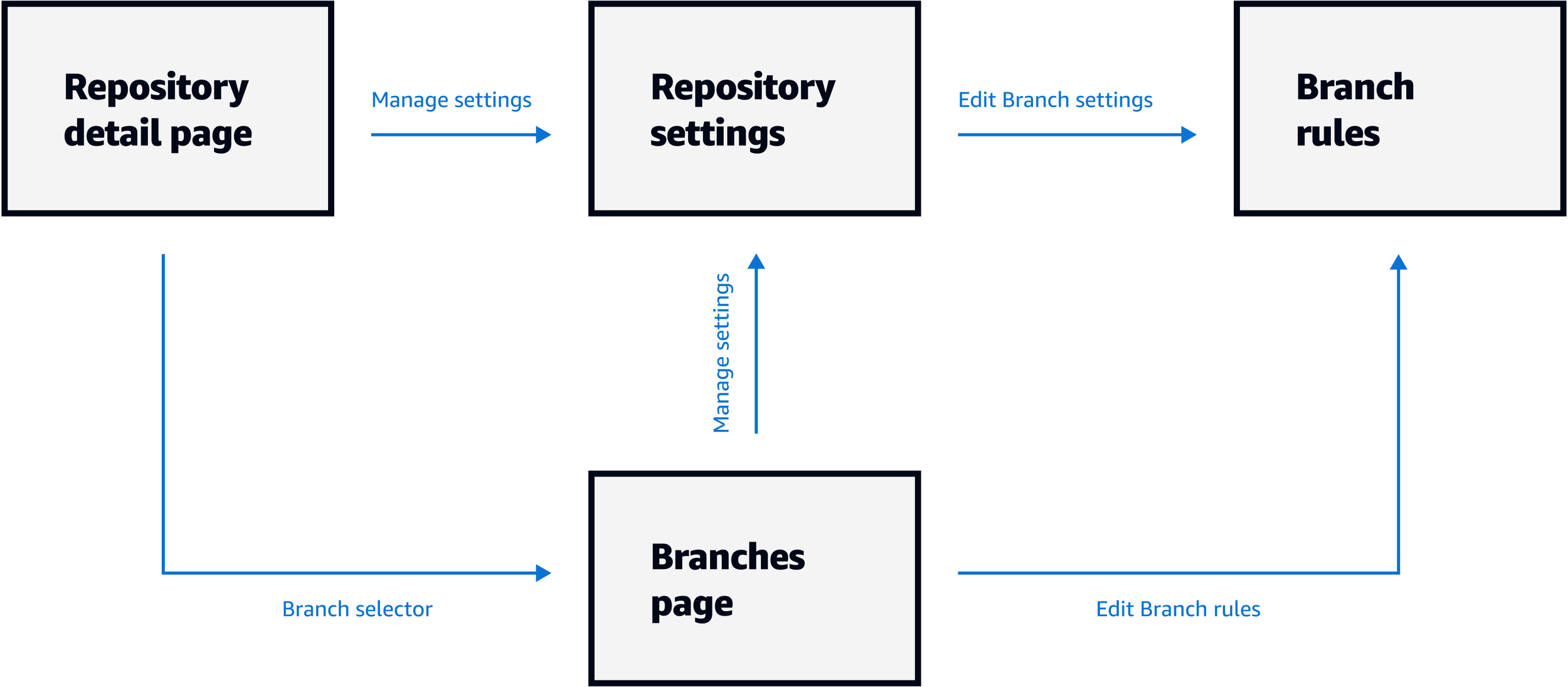
Then, I added another entrypoint to the protected branch settings so users could access them from both the repository settings page and the branches page. I also introduced a new column in the table on the branches page so customers could see what protections were applied to their branches without having to click into the protected branch settings.
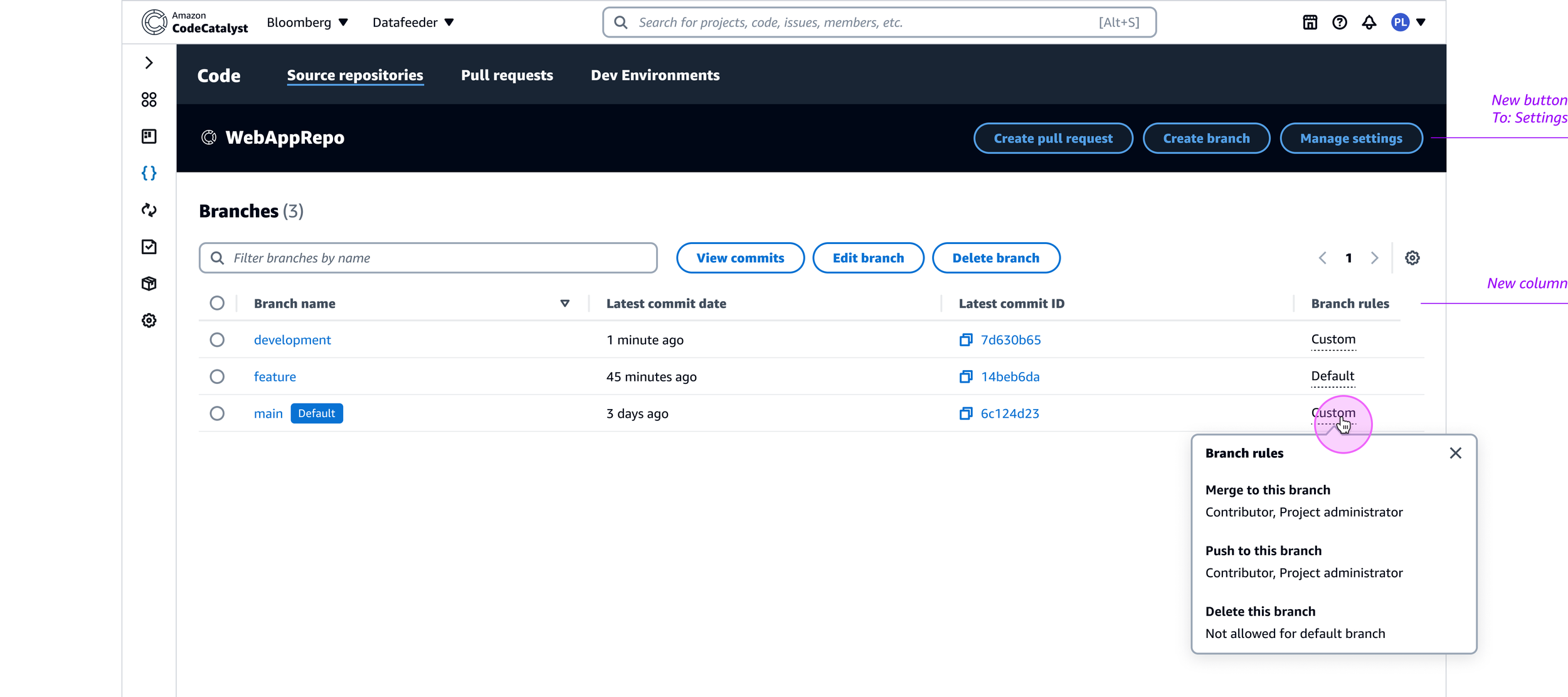
The resulting feature was ready for delivery shortly after making these changes, but I would soon revisit the designs to address scalability concerns and feedback received from our AWS Heroes community, a group of experts who generously share their insights on the builder experience.
But first, I would address another key feature for safeguarding customer code with the introduction of pull request approval rules in CodeCatalyst. This would build on the UX we delivered for the branch protection settings, introducing a new container in the repository settings for managing PR approval rules. This update would enable customers to specify a minimum number of approvals required to merge to a branch, as well as designate individuals as required reviewers.
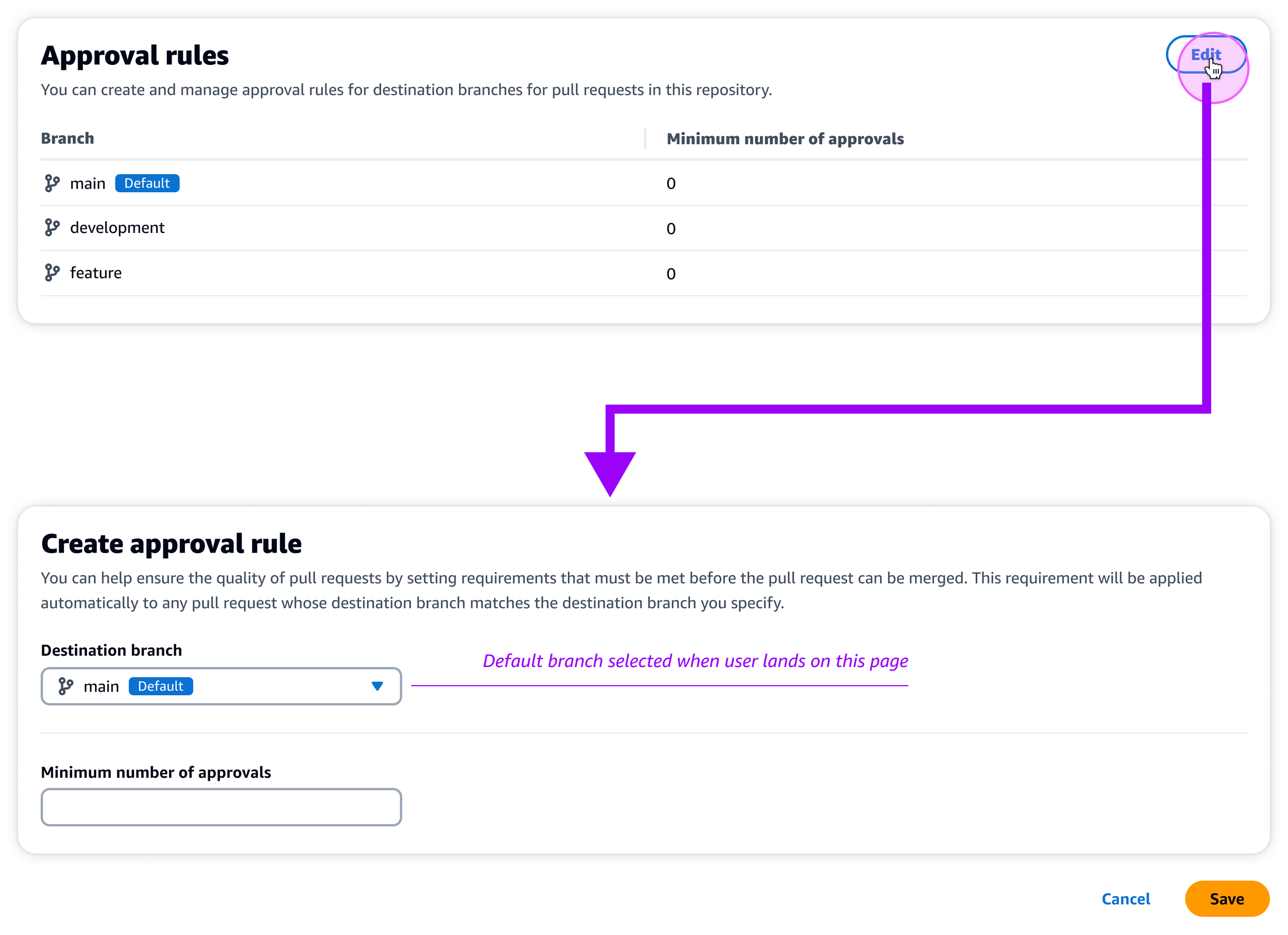
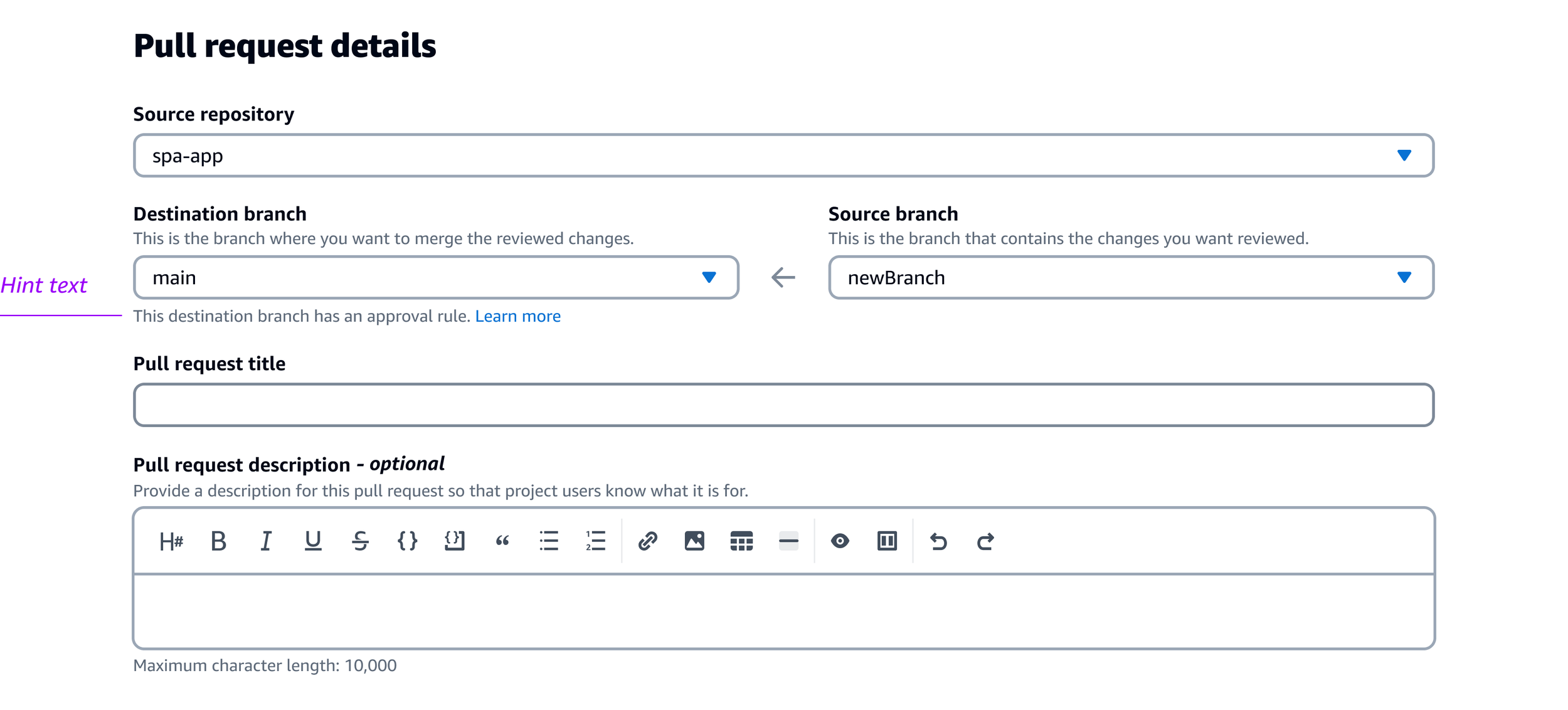
When creating a new pull request, customers must make a few selections, including a source repository and a destination branch to merge their changes to. Upon selecting the destination branch, hint text is displayed beneath the dropdown for branches that have an approval rule applied.
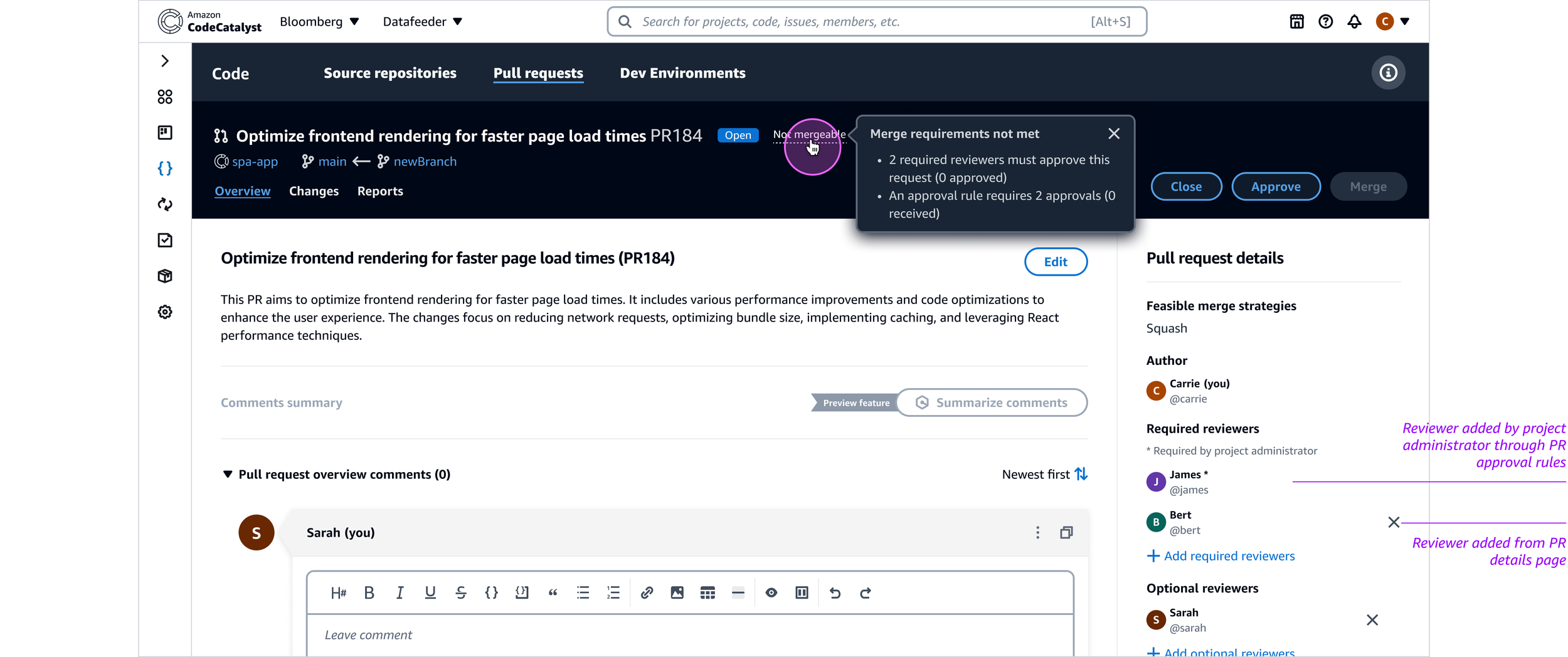
Once the pull request is created, the header on the PR details page would indicate whether or not it could be merged. On hover, a tooltip would display the merge requirements with their current status. The right rail of the page also displayed the list of required reviewers, if any were specified according to the branch’s approval rules. Required reviewers assigned by approval rules differed from those assigned from the PR details page, in that they could only be removed by users with project administrator level access.
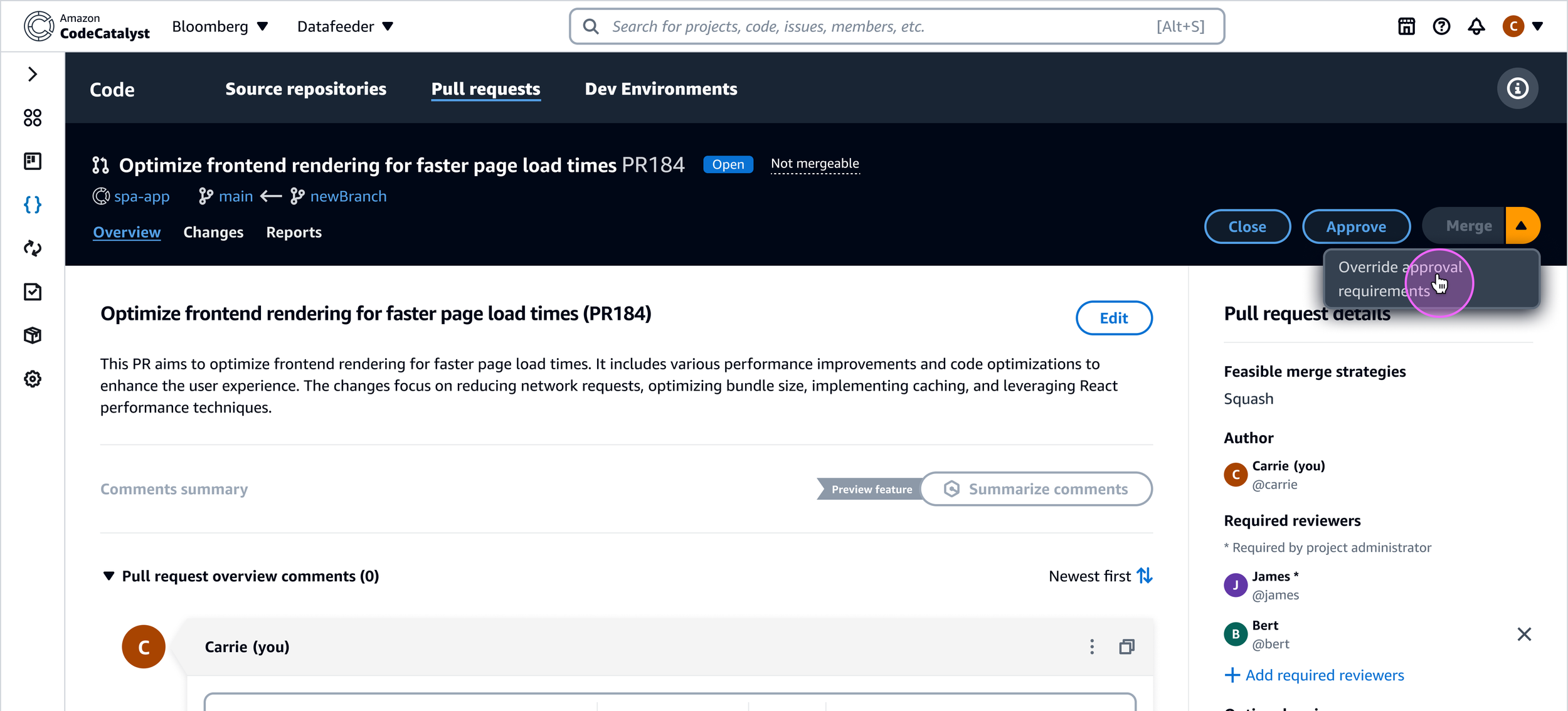
Project administrators would also have the ability to override approval rules on a pull request in case of emergencies or the absence of reviewers to approve the changes. Upon selecting the override option from the button dropdown, the administrator must supply an override reason.
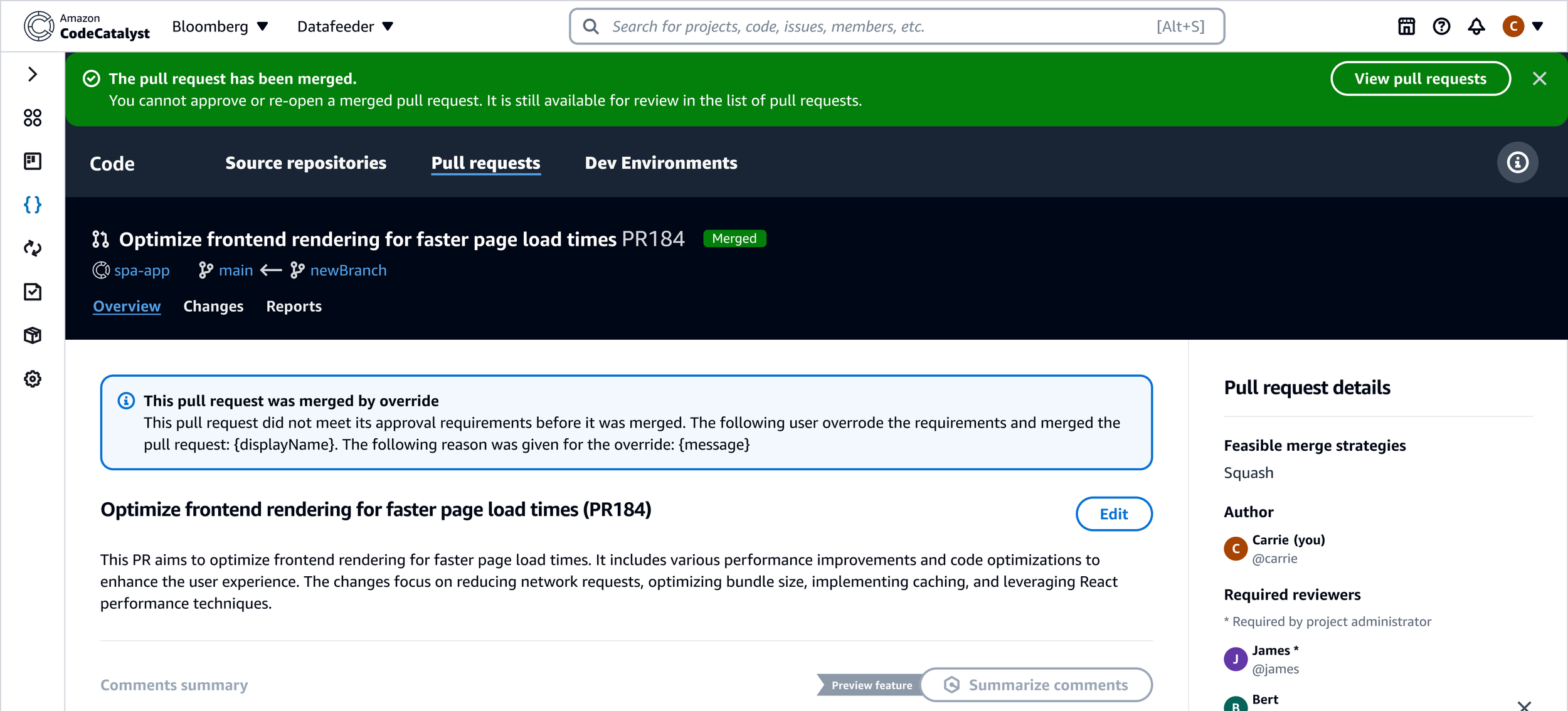
This reason would appear in an info alert at the top of the PR details page to preserve a historical record for auditing purposes.
Customer feedback & follow–up
Following the launch of protected branch settings and pull request approval rules, we received feedback from customers and the AWS Heroes community that helped inform my next iteration of these features. Some of the feedback indicated that too many clicks were required to drill down into the settings these features offered, and that the presentation of applied settings were suboptimal for parsing at a glance.
Drawing inspiration from industry leaders like Azure DevOps, BitBucket, and GitLab, my next iteration sought to integrate the pull request approval rules and branch protection settings with the branches page to make these safeguards easier to find. I also wanted to incorporate more information on the branches page, such as the number and status of workflow runs on a branch, and the number of commits each branch was ahead or behind relative to the default branch. Lastly, I focused on reducing the number of steps to access these settings, while also making it easier to quickly understand their current values.
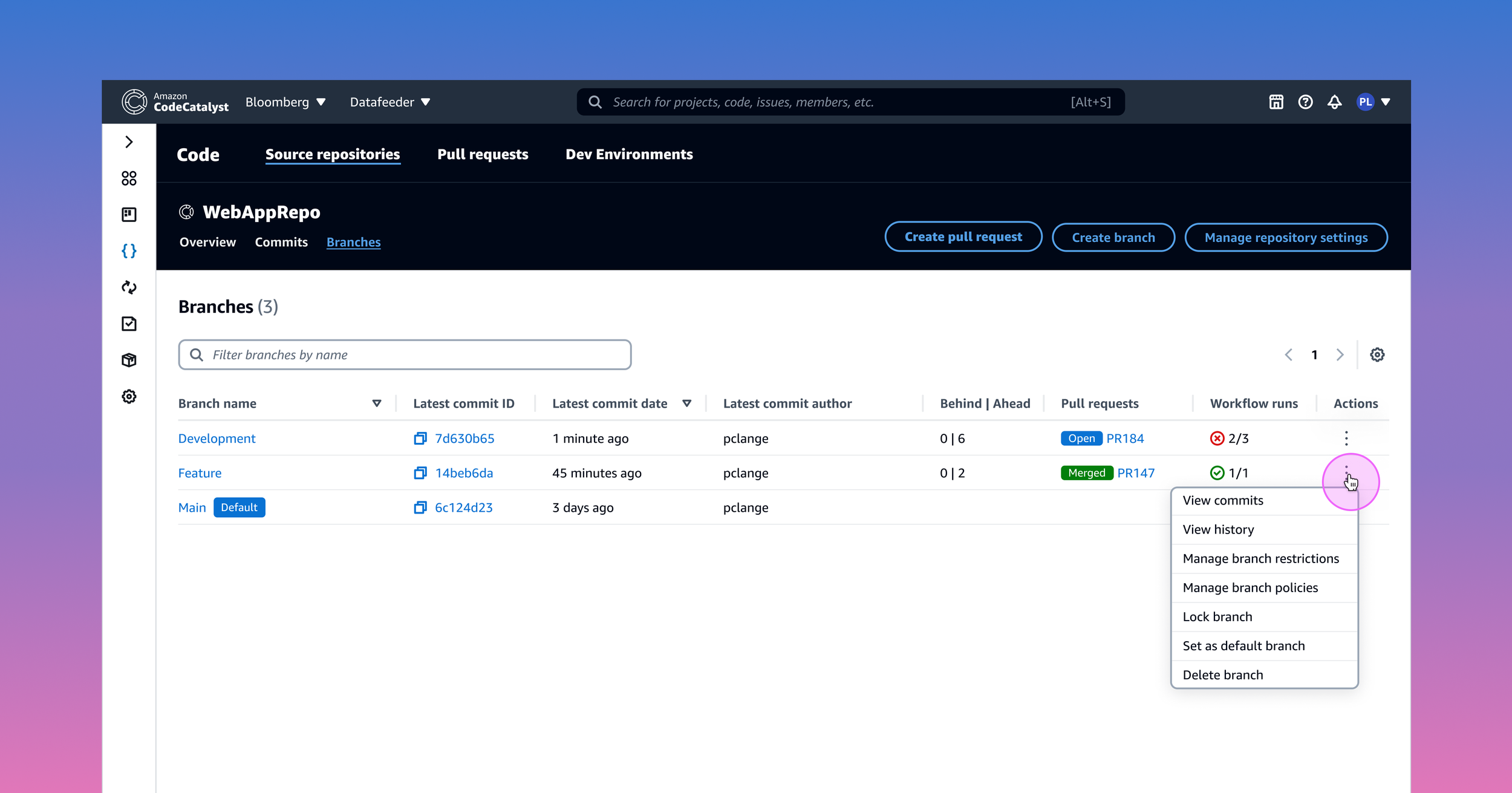
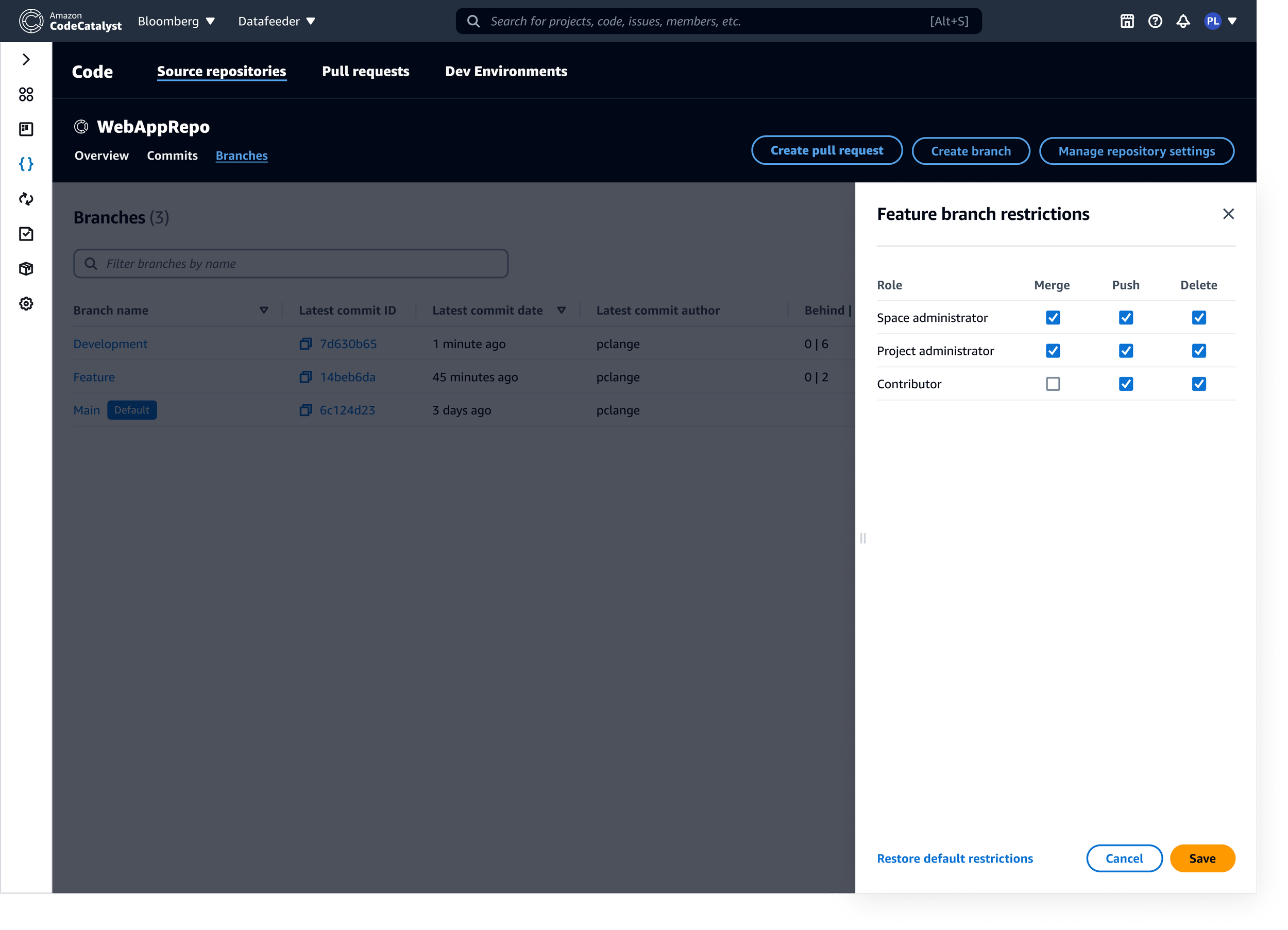
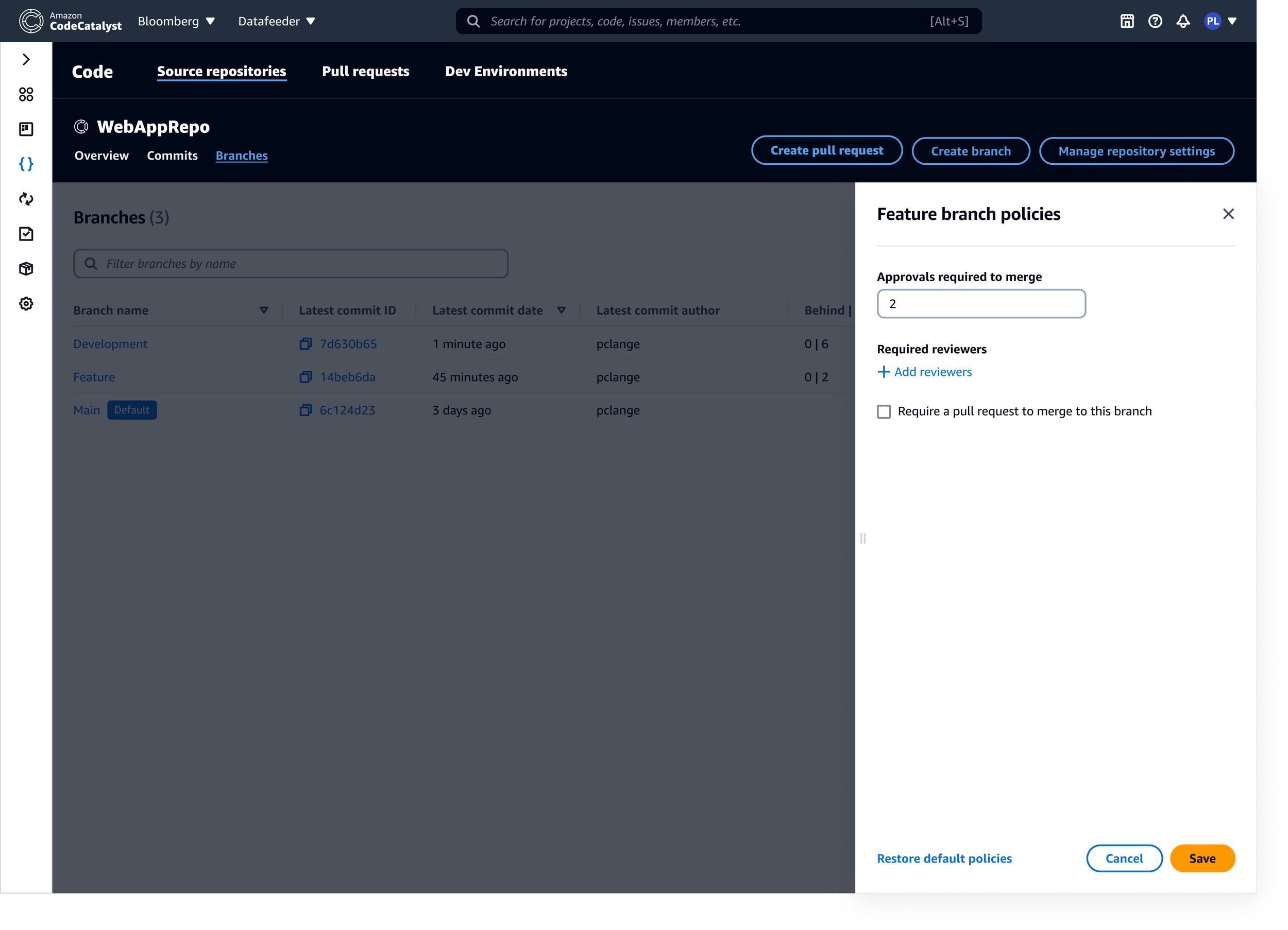
My revised design added a new “Actions” column to the branches page, offering quick access to settings for branch protection and PR approval rules (renamed “branch restrictions” and “branch policies”, respectively), as well as additional branch–level features commonly found in leading DevOps platforms.
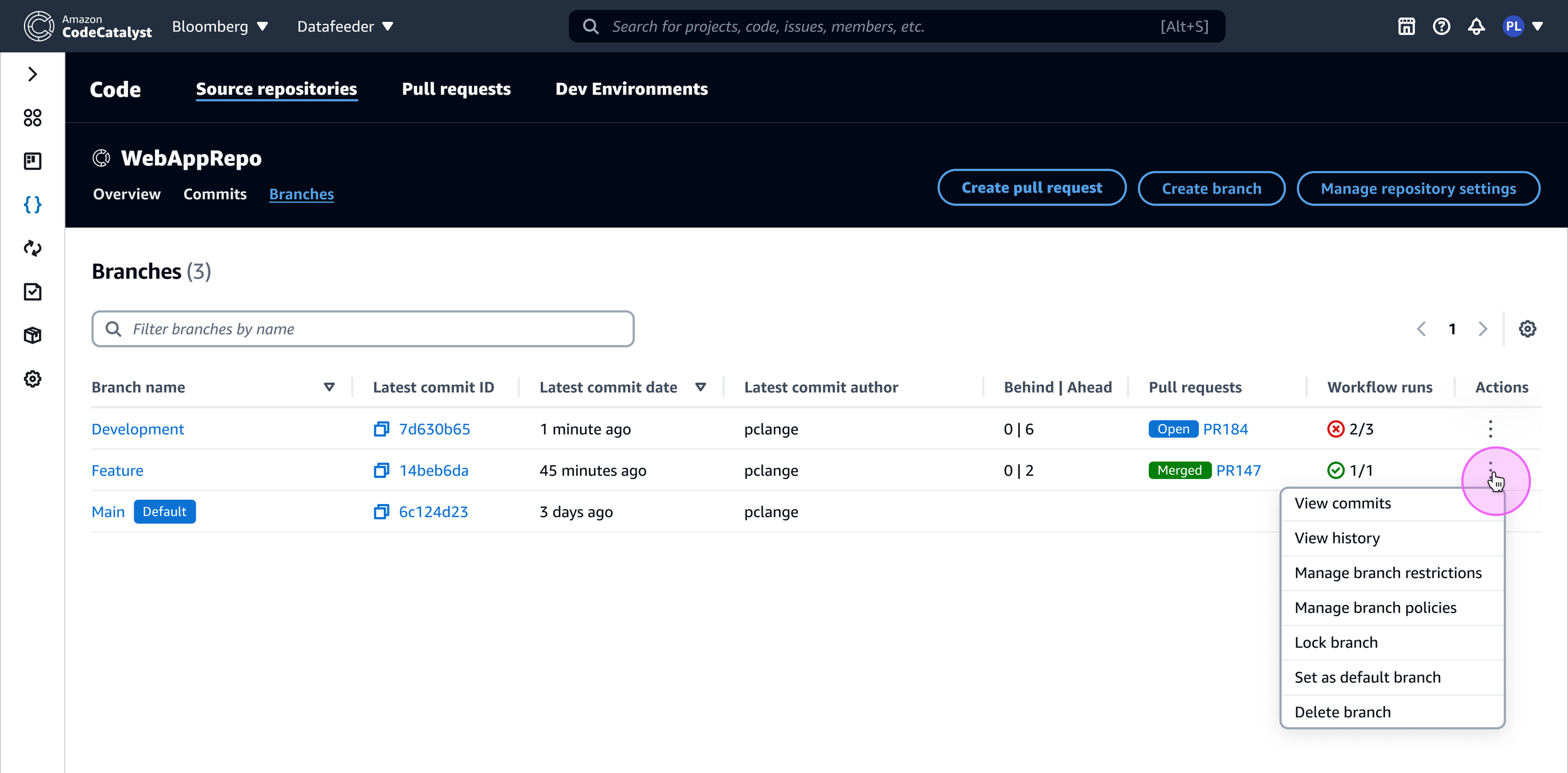
I was also able to surface the controls for modifying branch restrictions and policies by introducing a panel interaction, triggered from the actions menu on the branches page. This significantly reduced the number of clicks it took to access this functionality, addressing one of the key pieces of feedback received about the initial designs. I also flipped the roles and the capabilities from their previous presentation, and changed the selection pattern from a dropdown to a checkbox to streamline the interaction.
Outcome
This redesigned experience was well received when I shared it with customers and our AWS Heroes community, however, we were unable to implement it due to my team’s UX and engineering resources being reallocated to address shifting organizational priorities.