
Amazon Q third–party plugins
Context
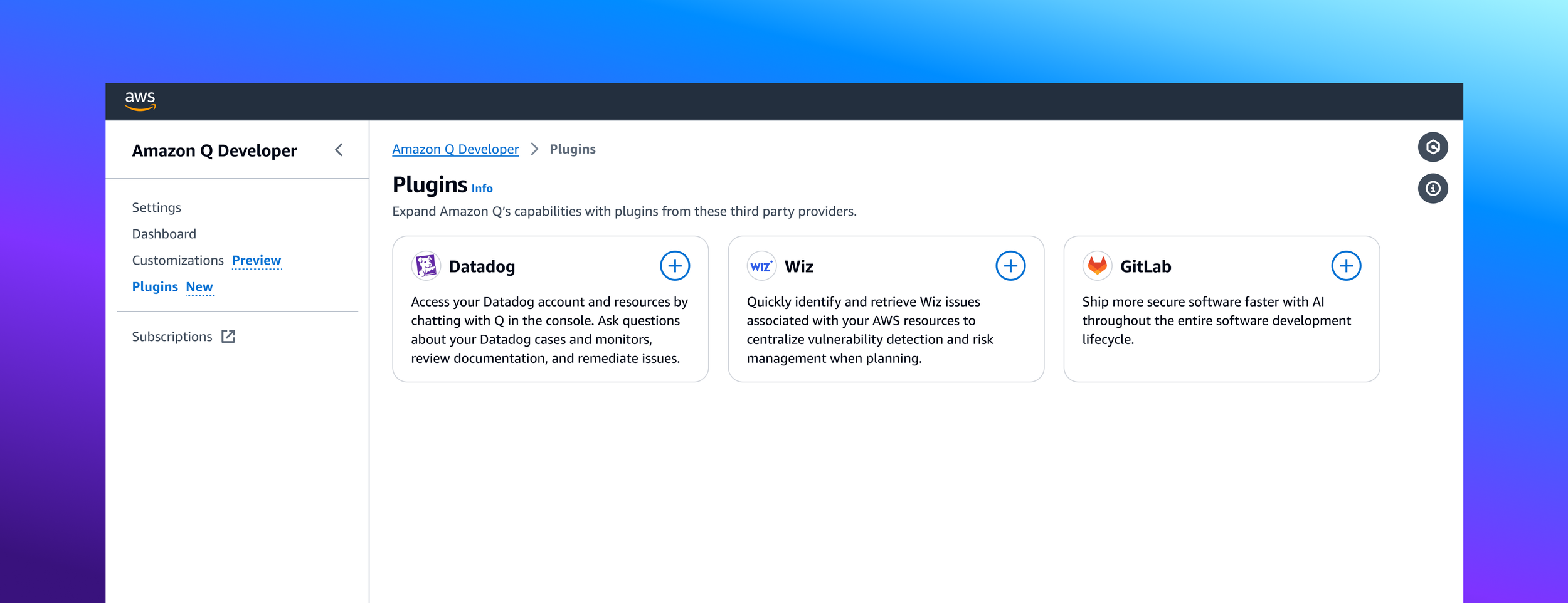
The AWS management console enables customers to perform a wide range of tasks for managing their Amazon Web Services. From the console, customers can provision resources, monitor security, deploy and configure services, manage logs and monitoring, and much more. In late 2023, AWS introduced Amazon Q, a generative AI assistant designed to accelerate software development, help with undifferentiated tasks, provide troubleshooting, and answer customer questions. I was a UX designer with the Next Generation Developer Experience organization at AWS supporting Amazon Q.
Goal
One of our organizational goals was to rapidly scale Amazon Q’s capabilities, and enhance it with additional context around customers’ established toolchains. This would provide customers with the ability to access capabilities from their preferred third–party tools through Q, without having to leave the AWS management console. Additionally, my project team hypothesized that customers who use third–party platforms that have an integration with Amazon Q would be more likely to adopt Q, bringing in net new customer bases.
Competitive analysis
While researching how other platforms handle third–party capabilities, I uncovered some precedent for this inside the AWS management console. I spoke with other internal teams and conducted external research to learn how they offered up third–party enhancements in their products. The precedent established by some of our internal teams was appealing from a consistency standpoint, but left something to be desired in terms of streamlining and efficiency. I gravitated more toward the example of GitHub’s Marketplace, which felt less utilitarian and had a more inviting and marketing–oriented presence. Armed with my learnings from this audit, I started my first iteration of the Amazon Q third–party plugins experience.
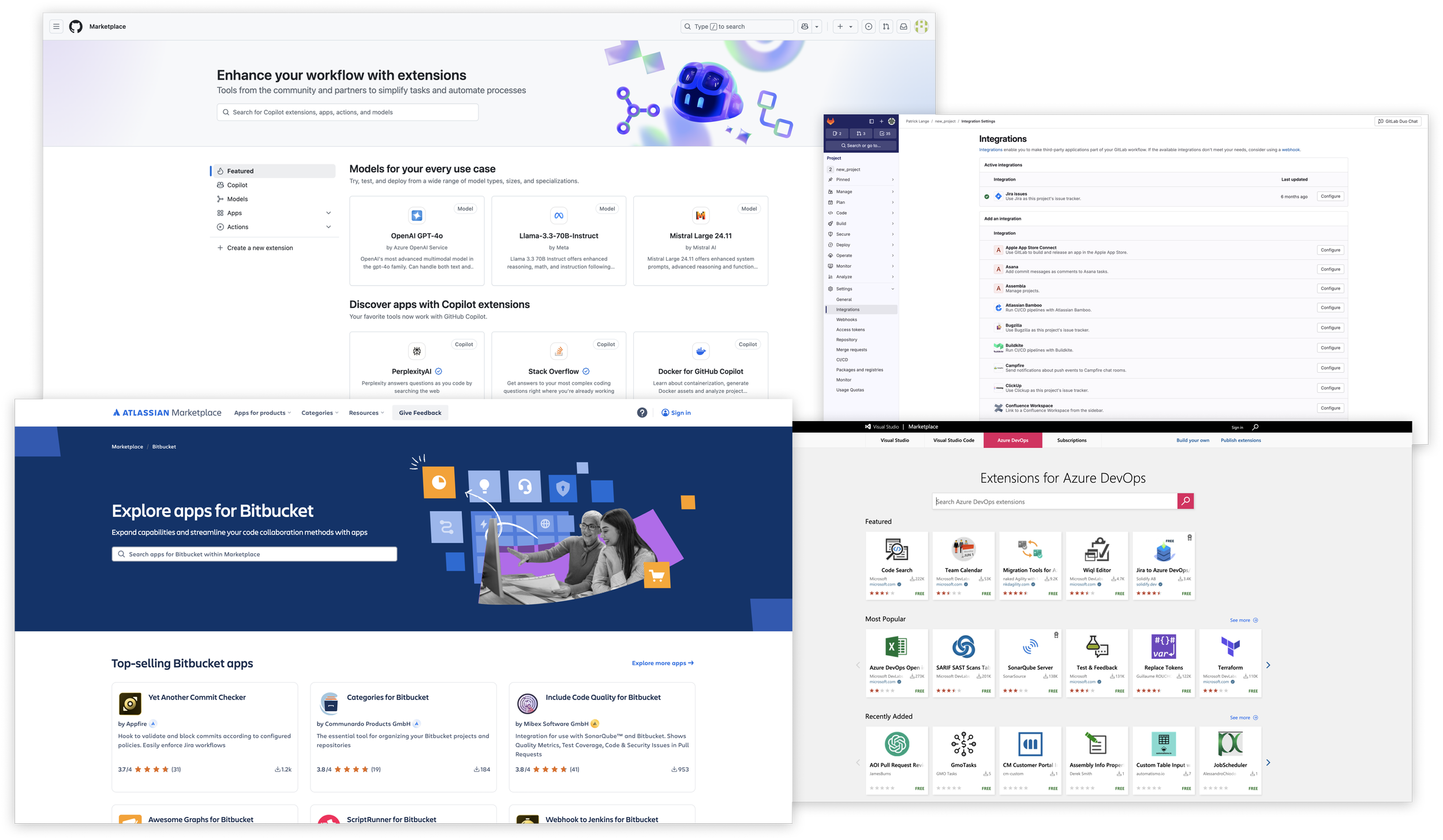
Sampling of screenshots from my competitive analysis.
Iteration
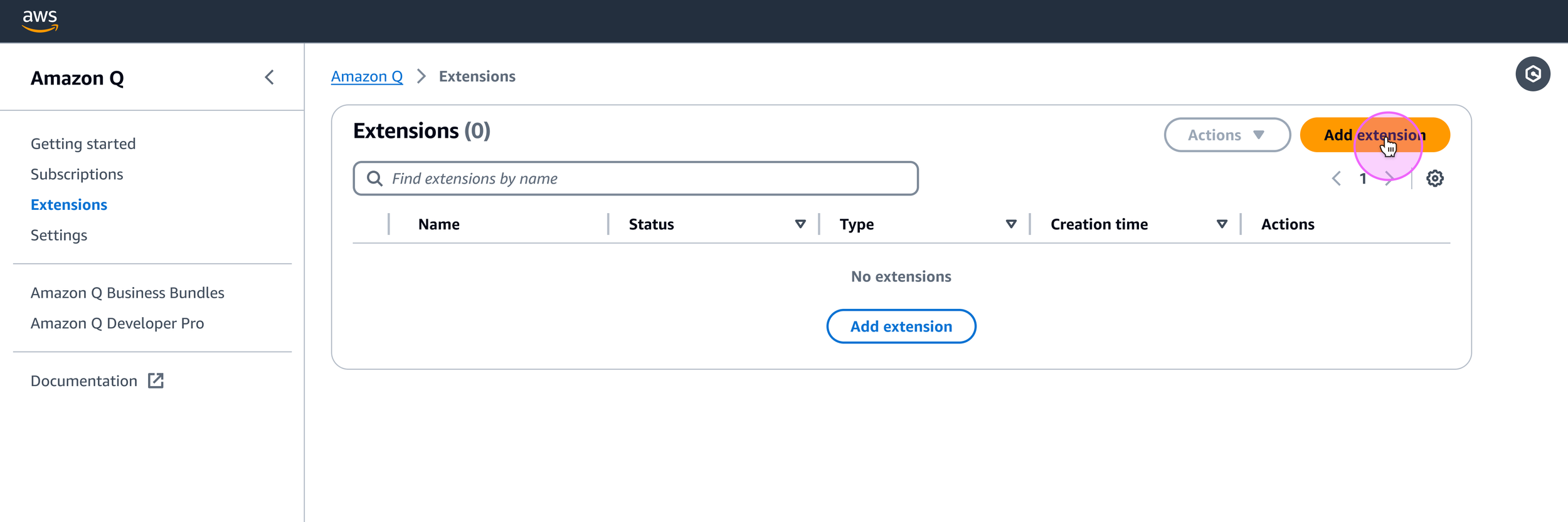
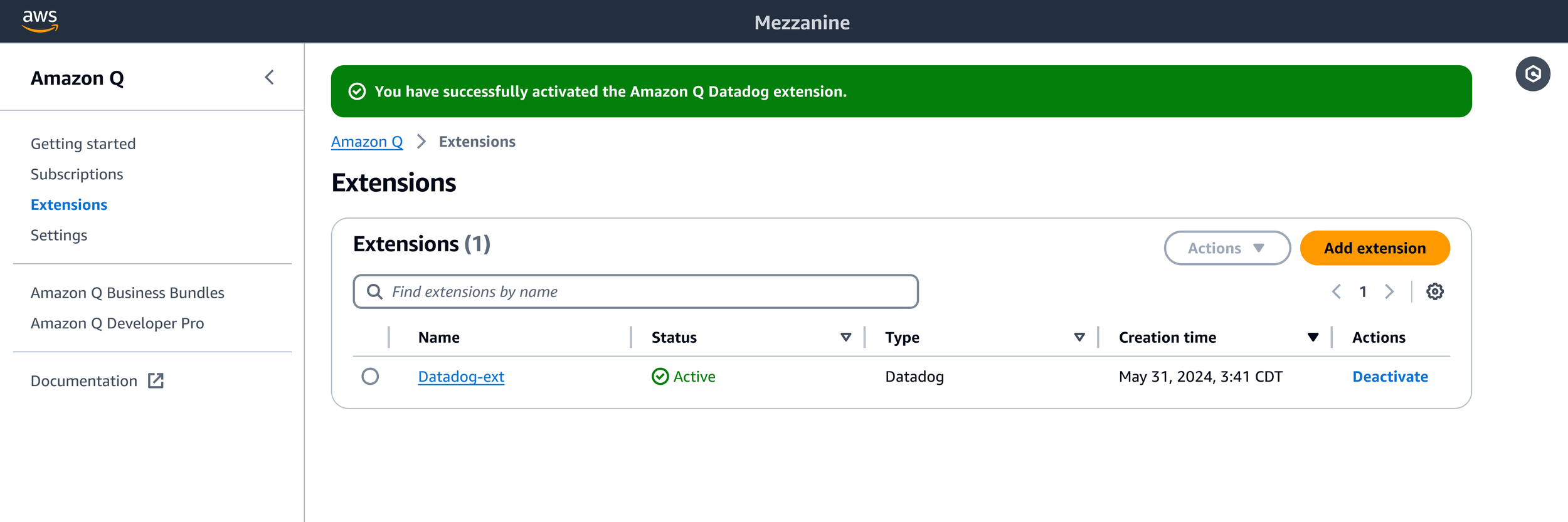
My first design followed the AWS design system’s pattern for multipage resource creation, and featured a UX that started from an extensions page (later renamed “plugins”) within the Amazon Q Developer console, with a table for displaying the customer’s configured plugins. This table would be empty by default, which I later determined made it less useful in an initial, empty state. Users could add a plugin from the primary button above the empty table, which would take them to a landing page for selecting their desired plugin.
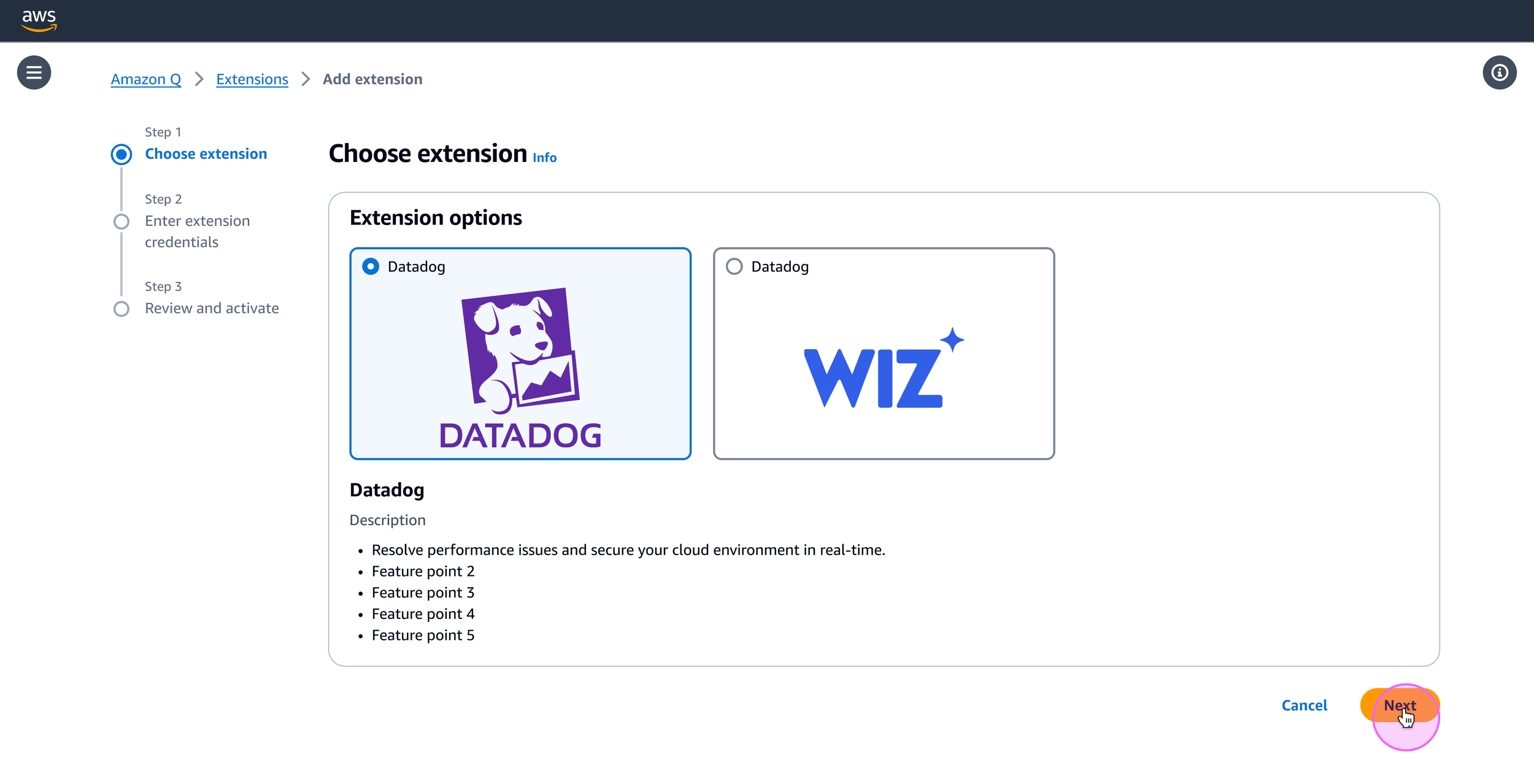
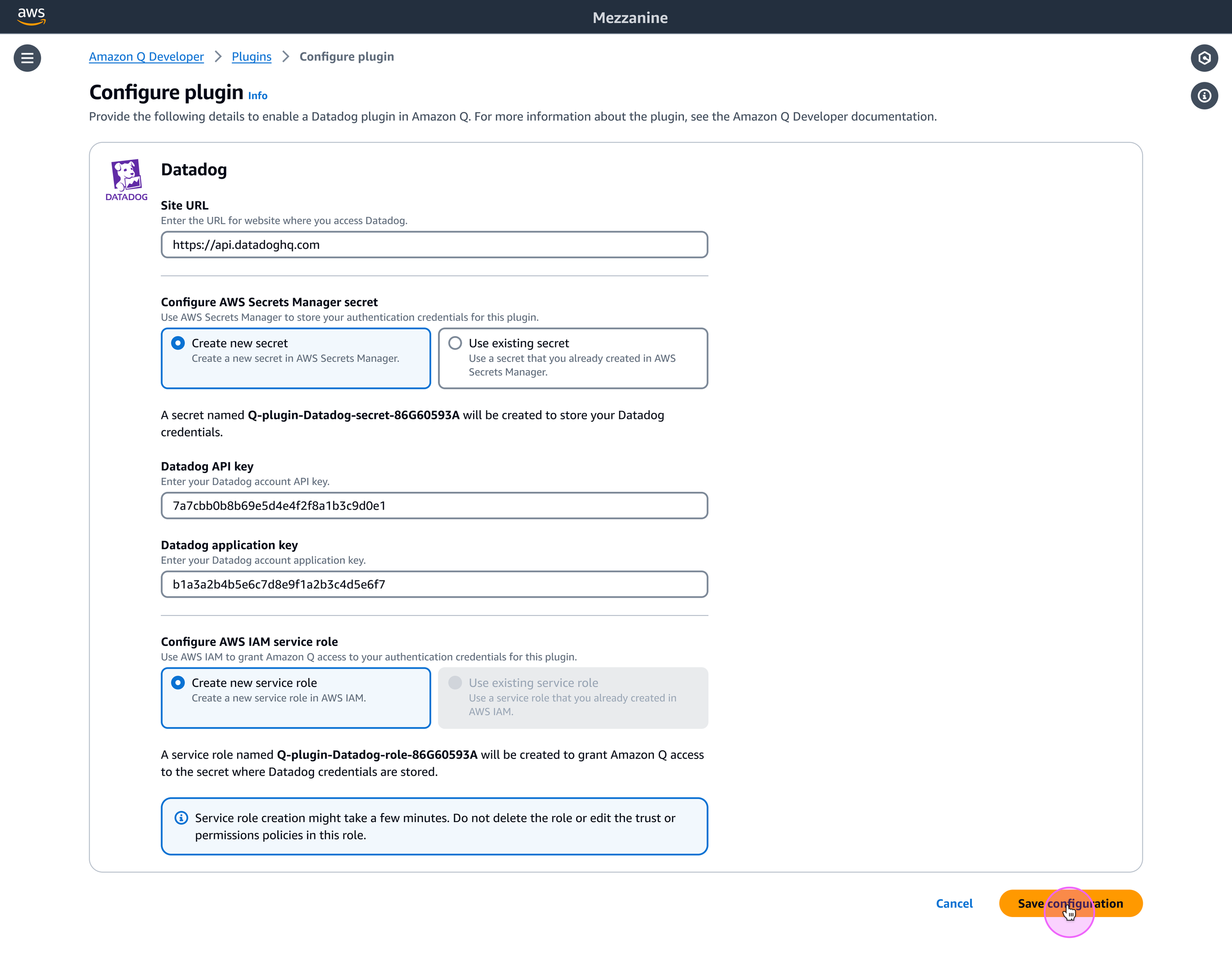
After selecting their plugin of choice, customers would be taken to a configuration page where they provide the required inputs for enabling the plugin. Once that process is complete, the customer would be taken back to the plugins page and could see their new plugin and its status in the table.
After reviewing this design with my UX team and approaching it with fresh eyes, I could see opportunities for eliminating extraneous pages and streamlining the flow. In my next iteration, I would eliminate the table on the plugins page and bring the plugin selection to the beginning of the flow. Customers landing on the plugins page would select their desired plugin and click the primary CTA to add it, opening a modal where they would complete the configuration process. However, after a deeper dive into the required inputs for a handful of different plugins, we determined that a modal would not be sufficient for the configuration process.
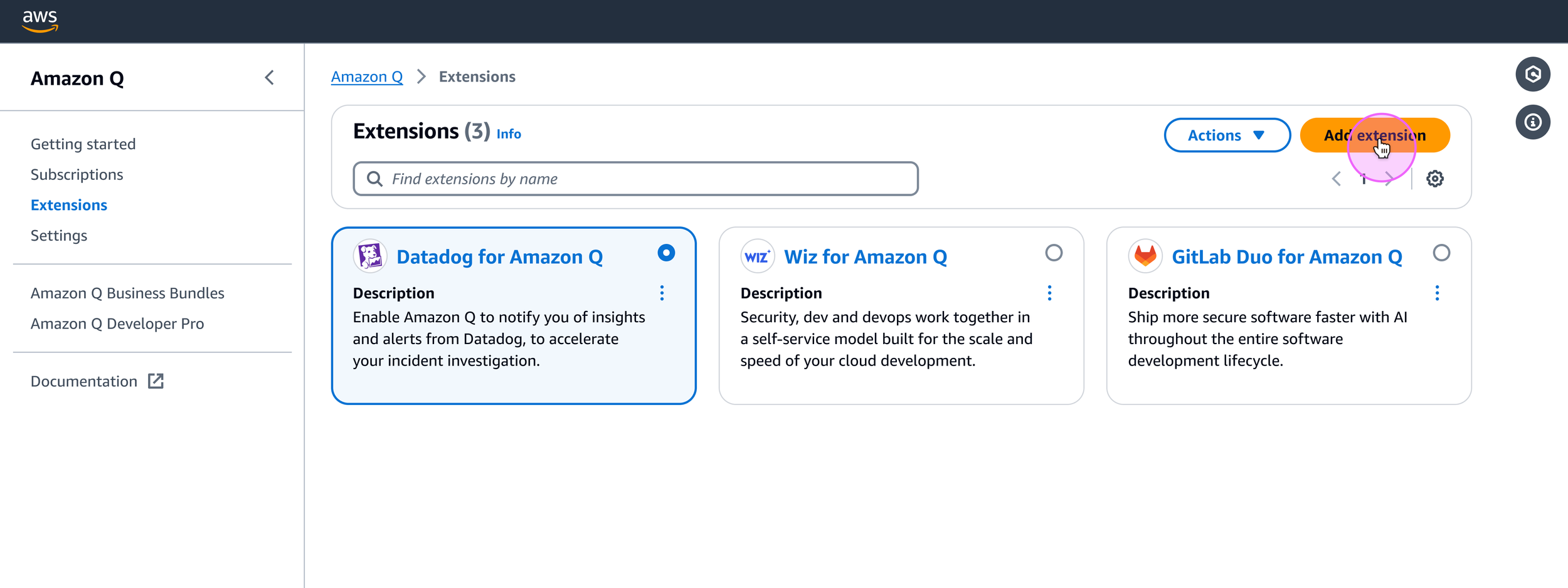
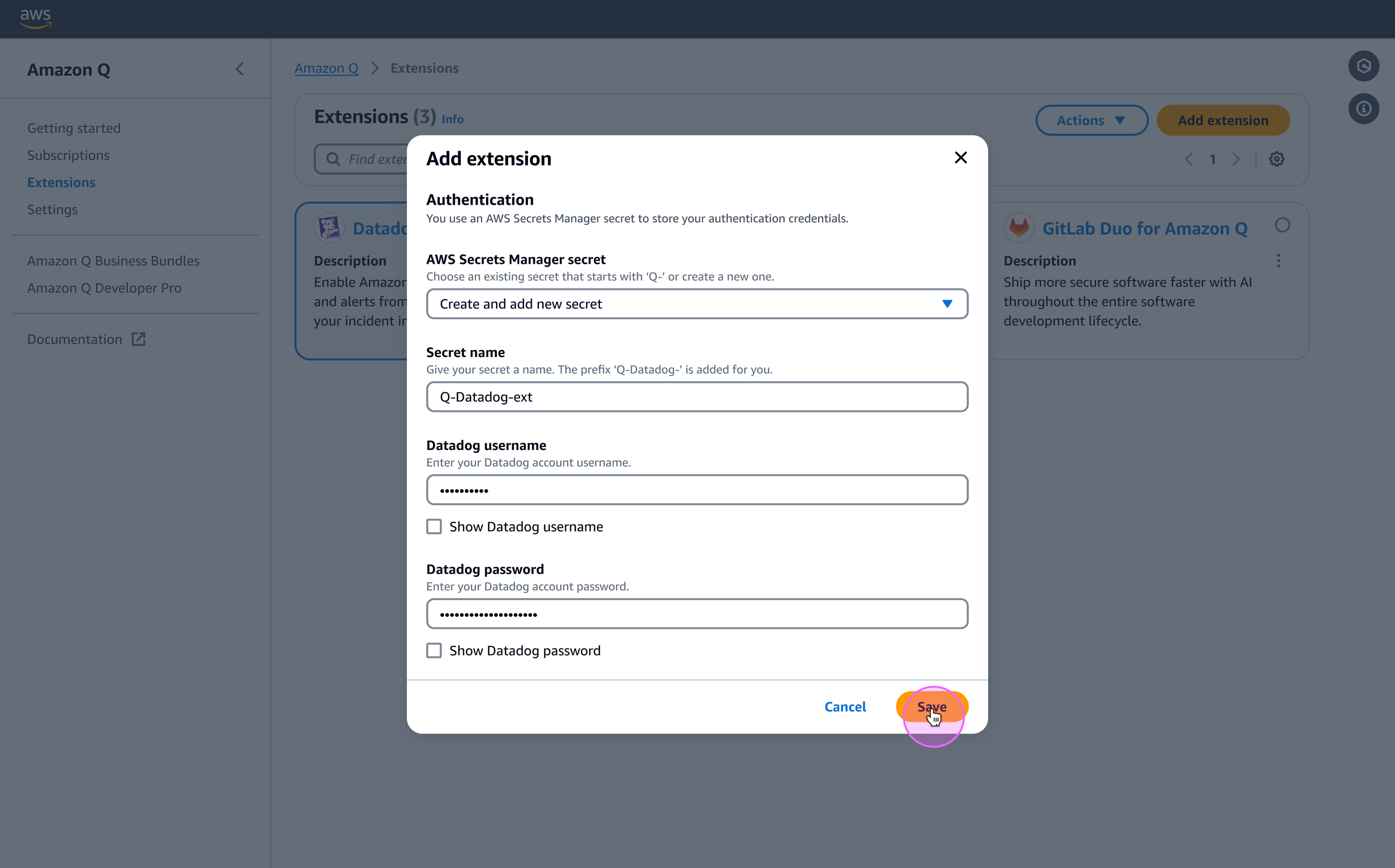
My next iteration would better accommodate the configuration step by introducing a full page for all the required inputs. In this new flow, customers would arrive at a plugins landing page to select the plugin of their choice, followed by the configuration page. Once configuration was completed, they would return to the plugins landing page and could see their configured plugin in its own section, separate from the other available plugins.
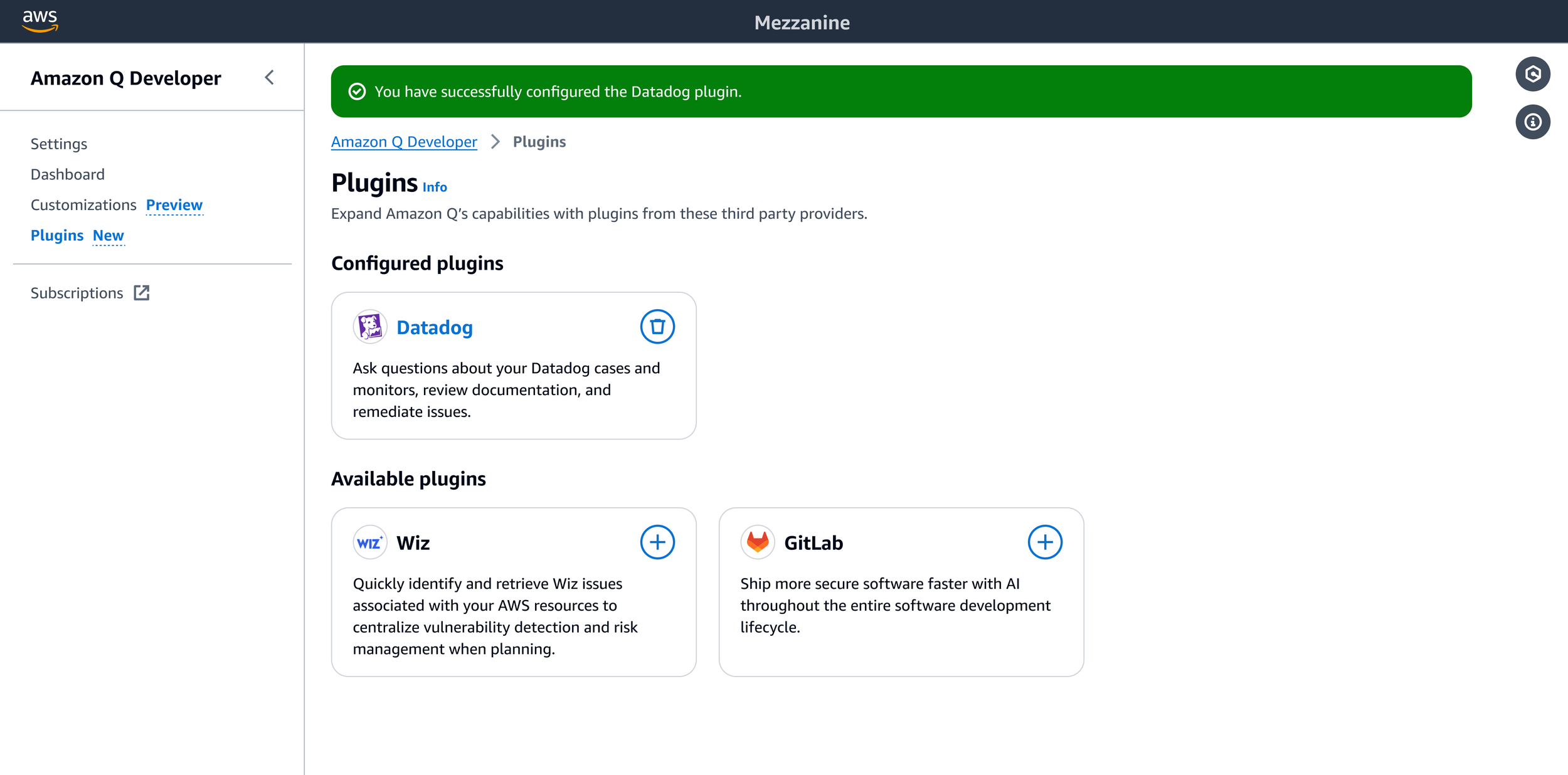
Finally, I needed to design the presentation of a response from a third–party plugin in the Amazon Q chat panel. As a UX team, we deliberated how best to display this—we didn’t want to give customers the impression that they were having a chat with multiple agents in a single chat panel that belonged to Amazon Q. One of my UX colleagues described this as the “call center problem”. Essentially, the concern is that customers may feel like they need to describe their problem and context each time they begin interacting with a new third–party agent. We wanted to avoid this to boost user confidence and instead, landed on an approach that would funnel all communications through Q, with citations to sources of information that came from third–party plugins.
Roughly outlined, the structure I proposed for responses with third–party data was as follows:
Plain–text response briefly summarizing the issue.
Supporting points, if applicable. These could be presented as a list, and may include links to data source citations.
Q’s recommended next steps, if applicable, in a plain–text response.
Data sources, presented in a collapsible section. Each of these would link out to the relevant data source.
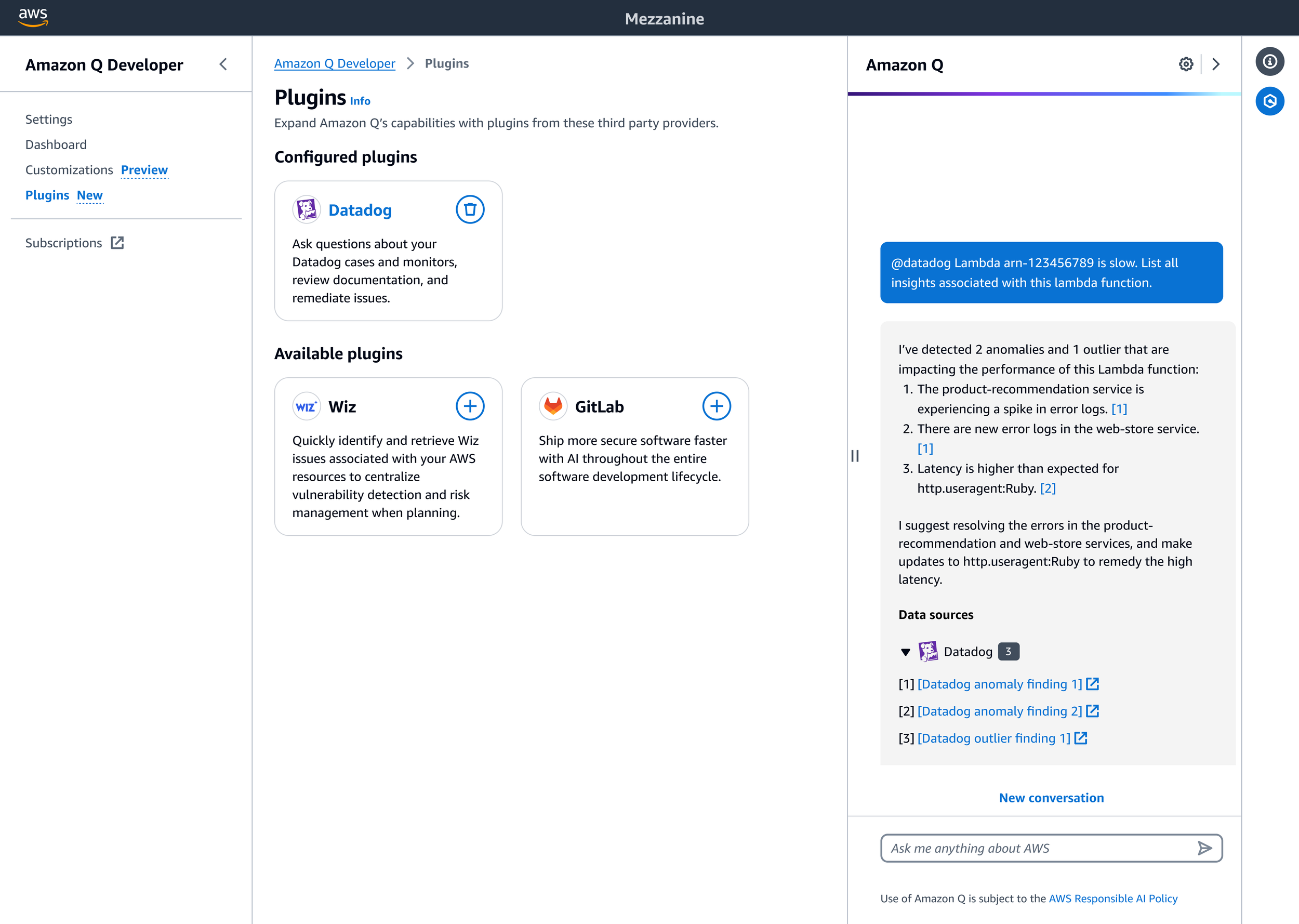
Following the launch of this feature, my team planned to revise the chat UX to present each finding in its own card, and to include a logo to attach some visual branding to help customer recognition of third–party citations; these were descoped from the initial release due to a compressed delivery timeline.
The third–party extensions experience launched with two available extensions—Datadog and Wiz, with a GitLab extension planned as a fast–follow.